

Is Kling 3.0 unlimited? Learn the truth about daily credits, paid plans, Omni features, hidden costs, and whether Kling 3.0 is worth your money in 2026.
If you have ever searched for kling 3.0 unlimited, you are probably hoping for the same thing most creators want: an AI video tool that lets you generate as much content as you need without constantly watching a credit meter drain to zero. The promise of unlimited AI video generation is seductive. But here is the reality that most guides gloss over: Kling 3.0 does not offer an unlimited plan. Not on the official platform. Not on any third-party reseller. The entire ecosystem runs on credits, and understanding how those credits work is the difference between budgeting accurately and hitting a wall mid-project.
In this guide, we will break down exactly what the free tier gives you, how the credit system consumes your budget, what each paid plan actually produces in real clips per month, and where the “unlimited” myth comes from. We will also cover Kling 3.0’s headline features—Omni native audio, multi-shot storyboarding, motion control, and 4K output—so you can decide whether the credit math justifies the quality. Whether you are a hobbyist testing AI video for the first time or a production team budgeting a campaign, this article gives you the numbers you need.
The Short Answer: Is Kling 3.0 Actually Unlimited?
No. Kling 3.0 is not unlimited on any tier. The official platform gives logged-in users 66 free credits per day that expire after 24 hours. Paid plans range from $6.99 to $180 per month and provide fixed monthly credit pools that do not roll over. There is no unlimited generation tier comparable to Runway’s $95-per-month Unlimited plan.
Some third-party platforms like Elser AI have marketed “unlimited Kling 3.0” on annual plans, but these are bundling deals with their own terms and credit structures—not true unlimited access to Kling’s native API.
Is Kling 3.0 unlimited? No. Kling 3.0 does not offer an unlimited generation plan. The free tier provides 66 daily credits that expire after 24 hours. Paid plans offer fixed monthly credit pools ranging from 660 to 26,000 credits, with no rollover.
What Is Kling 3.0?
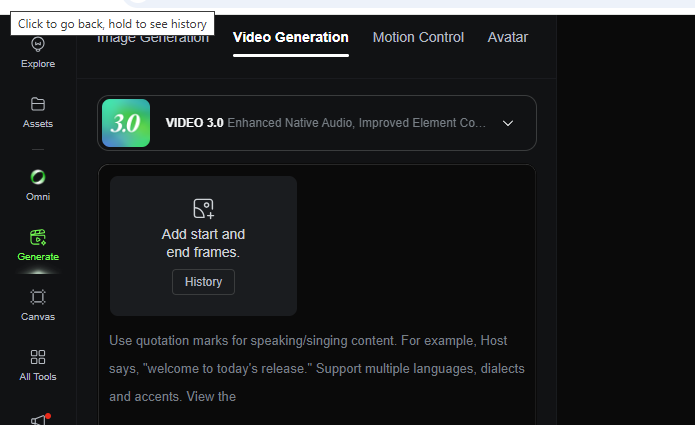
Kling 3.0 is the flagship AI video generation model from Kuaishou, the Chinese tech company behind the Kling AI platform. Launched in early 2026, it represents a major leap from Kling 2.6, adding native 4K output at 60fps, extended 15-second generation, multi-shot storyboarding with up to 6 camera cuts, native audio-visual synchronization, and the Omni multimodal system that binds character faces to voices across shots.
The platform serves over 60 million creators who have generated more than 600 million videos. It is widely regarded as having the most generous free tier among major AI video generators and the best motion control features for creators who need precise direction over camera movement and character action.
Kling 3.0 comes in two variants:
- Kling VIDEO 3.0 Standard: The cinematic video generator for text-to-video, image-to-video, and motion control
- Kling VIDEO 3.0 Omni: The unified multimodal model that adds native multi-character audio, voice-bound character consistency, and video source editing
The Free Tier: 66 Credits Per Day
Kling 3.0’s free tier is genuinely the most generous among major AI video platforms, but it comes with significant restrictions that make it unsuitable for production work.
What 66 Credits Actually Buys
| Clip Type | Credits Used | Daily Output |
|---|---|---|
| 5s 720p, no audio | 30 credits | ~2 clips |
| 5s 1080p, no audio | 40 credits | ~1 clip |
| 5s 720p, native audio | 45 credits | ~1 clip |
| 5s 1080p, native audio | 60 credits | ~1 clip |
| 10s 1080p, native audio | 120 credits | ~0 clips |
Free Tier Limitations
- Resolution cap: 720p maximum (1080p and 4K require paid plans)
- Watermark: All outputs carry the Kling AI watermark
- No commercial use: Strictly prohibited on the free plan
- Standard queue: Wait times can exceed 30 minutes during peak hours, with some users reporting 47-minute waits on Tuesday afternoons
- Single-task queue: No batch processing; you must wait for one generation to finish before starting the next
- Failed generations still cost credits: A frustrating mechanic that affects both free and paid users
- Professional Mode: Limited to 3 trial generations only
How many free videos can I make with Kling 3.0 per day? The free tier provides 66 daily credits, which is enough for approximately 1–2 short test clips per day at 720p, depending on duration and audio settings. Credits expire after 24 hours and do not accumulate.
Kling 3.0 Paid Plans: The Real Credit Math
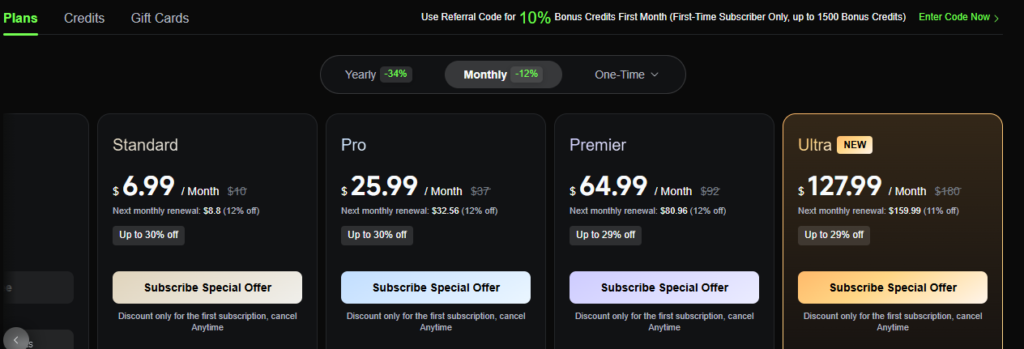
Kling’s paid plans unlock the features that make 3.0 a production tool. But the credit consumption is higher than most users expect, and the “unlimited” feeling never arrives.
Official Platform Pricing (July 2026)
| Plan | Monthly Price | Annual Price (per month) | Monthly Credits | Element Creation |
|---|---|---|---|---|
| Standard | $10 ($6.99 first month) | $6.60 | 660 | 50 |
| Pro | $37 ($25.99 first month) | $24.42 | 3,000 | 150 |
| Premier | $92 ($64.99 first month) | $60.72 | 8,000 | 150 |
| Ultra | $180 ($127.99 first month) | N/A | 26,000 | 500 |
What Each Plan Actually Produces
Here is the reality that pricing pages do not show: AI video generation requires iteration. A finished 5-second clip often takes 3–5 attempts to get right. Here is the math assuming 1080p, no audio (40 credits per 5-second clip), and a 3-attempt-per-final-clip iteration rate:
| Plan | Credits | Attempts | Finished 5s Clips | Cost Per Finished Clip |
|---|---|---|---|---|
| Standard | 660 | 16 | ~5 | $2.00 |
| Pro | 3,000 | 75 | ~25 | $1.48 |
| Premier | 8,000 | 200 | ~67 | $1.37 |
| Ultra | 26,000 | 650 | ~217 | $0.83 |
Critical detail: Credits do not roll over. If you generate 600 of your 660 Standard credits and forget about the remaining 60, they disappear at the end of the billing cycle. The only exception is separately purchased add-on credit packs, which are valid for two years.
How Credits Are Consumed: The Per-Second Breakdown
Kling 3.0 charges per second of generated video, not per generation. Higher resolution and native audio multiply the cost.
VIDEO 3.0 Credit Rates
| Mode | 720p | 1080p |
|---|---|---|
| No native audio | 6 credits/s | 8 credits/s |
| Native audio | 9 credits/s | 12 credits/s |
| Voice control add-on | +2 credits/s | +2 credits/s |
Real-World Cost Examples
- 5-second 720p, no audio: 30 credits (~$0.30 on Standard)
- 5-second 1080p, no audio: 40 credits (~$0.40 on Standard)
- 5-second 1080p, native audio: 60 credits (~$0.60 on Standard)
- 10-second 1080p, native audio: 120 credits (~$1.20 on Standard)
- 15-second 1080p, native audio: 180 credits (~$1.80 on Standard)
Add Voice Control, and a 15-second 1080p clip with native audio costs 210 credits—roughly $2.10 worth of Standard plan credits.
For Omni mode with video input, the rates are higher: 16 credits per second at 1080p without native audio. A 10-second clip costs 160 credits.
Kling 3.0 Omni: The Premium Tier That Costs More

Kling 3.0 Omni is where the platform becomes a genuine production system, but it is also where credit consumption accelerates.
What Omni Adds
- Native multi-character audio: Each character can have a distinct voice, with lip sync generated alongside the audio
- Character voice lock: Upload a 3–8 second video of a character, and Omni extracts both their visual appearance and original voice for reuse across scenes
- Omni Edit: Replace characters in existing videos while preserving motion and camera work
- Multi-shot with audio continuity: Up to 6 camera cuts in a single generation, with dialogue flowing naturally across cuts
- Multilingual support: Chinese, English, Japanese, Korean, Spanish, with dialects and accents
When to Use Omni vs Standard
| Use Case | Recommended Model | Why |
|---|---|---|
| Video with separate audio track added later | Standard | Same video quality, lower cost |
| AI spokesperson with consistent voice | Omni | Voice lock is essential |
| Multi-character dialogue scenes | Omni | Native audio per character |
| Video source replacement (face swap) | Omni | Omni Edit only available here |
| Simple product demos | Standard | Native audio not needed |
What is the difference between Kling 3.0 and Kling 3.0 Omni? Kling 3.0 Standard generates video with optional basic audio. Kling 3.0 Omni adds full native multi-character audio, character voice locking across scenes, Omni Edit for video source replacement, and unified audio continuity across multi-shot sequences. Omni costs roughly 50% more per second.
The “Unlimited” Myth: Where It Comes From
If Kling 3.0 has no unlimited plan, why do so many searches for kling 3.0 unlimited exist? Three sources fuel the confusion:
1. The generous free tier. At 66 daily credits, Kling’s free offering is more generous than competitors. Some users misinterpret this as “practically unlimited” for light use, even though the daily cap and 24-hour expiration make it strictly limited.
2. Third-party marketing language. Platforms like Elser AI have advertised “unlimited Kling 3.0” on annual plans. In practice, these are high-volume bundles with their own internal limits, not true uncapped generation.
3. Confusion with Runway. Runway offers a genuine Unlimited plan at $95 per month. Creators searching for Kling’s equivalent are disappointed to find it does not exist.
Does Kling 3.0 have an unlimited plan? No. Kling 3.0 does not offer an unlimited generation plan on any tier. The highest plan, Ultra at $180 per month, provides 26,000 credits. For comparison, Runway offers a true Unlimited plan at approximately $95 per month.
Kling 3.0 vs Runway: The Unlimited Comparison
For creators specifically seeking unlimited generation, the comparison with Runway is unavoidable.
| Feature | Kling 3.0 | Runway |
|---|---|---|
| Unlimited plan | No | Yes ($95/mo) |
| Entry paid plan | ~$10/mo | ~$15/mo |
| Top plan | $180/mo (26,000 credits) | $95/mo (unlimited) |
| Free tier | 66 credits/day | Limited |
| Max clip length | 15 seconds | 10 seconds |
| Native audio | Yes (Omni) | No |
| Motion control | Best-in-class | Good |
| Editing tools | Limited | Mature timeline, Motion Brush |
The verdict: Above roughly 50 clips per month, Runway’s Unlimited plan becomes more economical than Kling’s credit system. However, Kling wins on motion control precision, native audio generation, and maximum clip length. The right choice depends on whether you prioritize volume or creative control.
Hidden Costs and Credit Traps
Failed Generations Still Cost Credits
On the consumer interface, failed generations deduct credits with no automatic refund. This is a significant cost variable if your workflow involves complex prompts with lower success rates. The API side is more fair—failed API tasks do not consume credits—but the web interface does not share this policy.
First-Subscription Discounts Are Temporary
The attractive $6.99 Standard and $25.99 Pro prices are first-month discounts only. At renewal, Standard jumps to $10 and Pro to $37. Annual billing saves 34% but requires paying upfront.
No Credit Rollover
Unused monthly credits vanish at the end of each billing cycle. If your production volume fluctuates, you will waste money on light months and still need top-ups on heavy months.
Omni Mode Surprises
Many users assume Omni includes native audio for all input types. It does not. Native audio with video input is explicitly marked as “Not Supported Yet” in the Omni documentation. If your workflow depends on uploading a video and adding synchronized audio, you will be disappointed.
The Cheapest Ways to Access Kling 3.0
If you are trying to maximize Kling 3.0 output per dollar, here are the most cost-effective paths:
For Testing: Official Free Tier
Use the 66 daily credits to learn prompting and test motion control. No credit card required.
For Regular Creators: Freepik Premium
Multiple Reddit users call Freepik Premium the best value for Kling 3.0 access. The bundle includes Kling 3.0 alongside stock assets, Magnific upscaling, and design tools. The effective per-video cost is lower than buying Kling credits directly.
For Multi-Model Users: SoraVideo.art
Instead of managing separate subscriptions, SoraVideo.art bundles Kling 3.0 with Sora 2, Seedance 2.0, motion control, and watermark removal in one plan.
For Developers: fal.ai or Atlas Cloud API
Pay only for what you generate with no monthly commitment. Atlas Cloud offers Kling 3.0 at roughly $0.071–$0.095 per second, about 30% below official API rates. Failed API tasks do not deduct credits.
Who Should Use Kling 3.0?
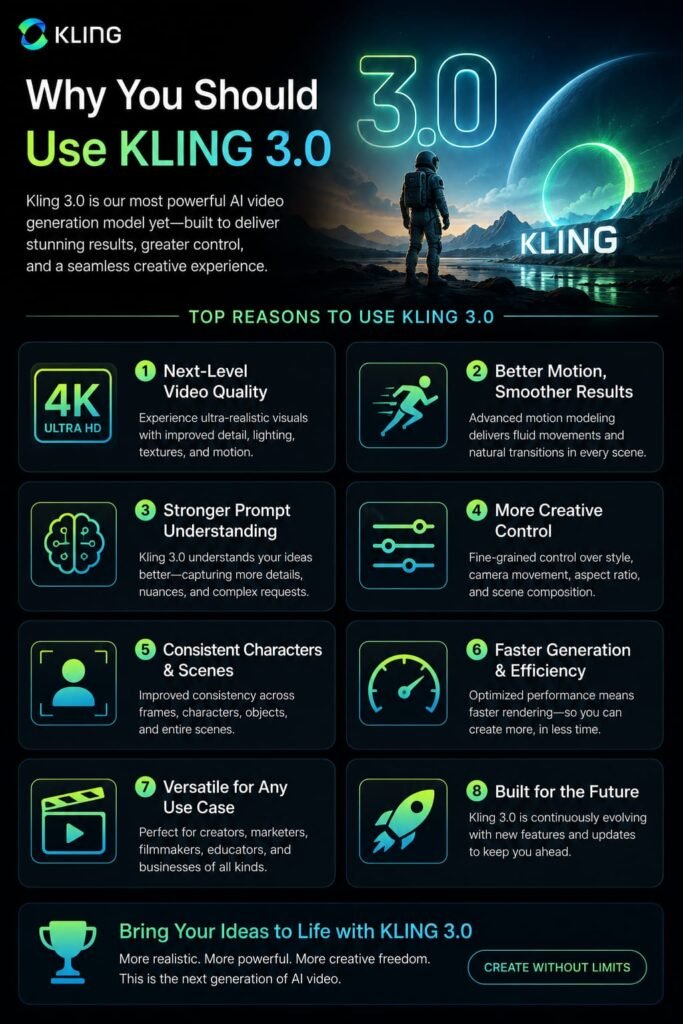
Kling 3.0 is worth the credit cost if:
- You need precise motion control and camera direction
- Your projects require native audio generation with lip sync
- You build recurring character content and need voice-bound consistency
- You produce e-commerce product videos with readable text and branding
- You want the longest native clips (15 seconds) among major AI video tools
Kling 3.0 is not the best choice if:
- You need true unlimited generation volume (Runway Unlimited wins)
- Your budget is tight and your output is sporadic
- You need mature post-production editing and compositing
- You require very long-form content beyond 15 seconds
- You want the absolute best cinematic realism for single shots (Veo 3.1 or Sora 2 may win)
Frequently Asked Questions
Is Kling 3.0 free?
Yes, Kling 3.0 offers a free tier with 66 daily credits for logged-in users. However, output is limited to 720p, watermarked, and prohibited from commercial use. For production work, a paid plan is required.
How many videos can I make per day on Kling 3.0 free?
Approximately 1–2 short clips per day at 720p, depending on duration and audio settings. A 5-second 720p clip without audio costs 30 credits, so 66 credits covers two such clips with 6 credits left over.
Does Kling 3.0 have an unlimited plan?
No. Kling 3.0 does not offer an unlimited generation plan. The highest tier, Ultra at $180 per month, provides 26,000 credits. Runway is the major competitor that offers a true Unlimited plan at $95 per month.
Do Kling 3.0 credits roll over?
No. Monthly subscription credits expire at the end of each billing cycle and do not roll over. Separately purchased add-on credit packs are valid for two years from purchase.
How much does a 15-second Kling 3.0 video cost?
A 15-second 1080p clip with native audio costs 180 credits (12 credits/s × 15s). With Voice Control, it rises to 210 credits. On the Standard plan, that is approximately $1.80–$2.10 worth of credits for a single generation—before accounting for iteration retries.
What is Kling 3.0 Omni?
Kling 3.0 Omni is the unified multimodal model that adds full native multi-character audio, character voice locking across scenes, Omni Edit for video source replacement, and unified audio continuity across multi-shot sequences. It costs more per second than Standard but is essential for audio-driven content.
Is Kling 3.0 cheaper than Runway?
At low-to-moderate volume (under ~30 clips per month), Kling and Runway are broadly comparable. Above ~50 clips per month, Runway’s Unlimited plan at $95 becomes more economical than Kling’s credit system. Kling wins on motion control and native audio; Runway wins on editing tools and unlimited volume.
Can I use Kling 3.0 for commercial work?
Only on paid plans. The free tier explicitly prohibits commercial use. Standard, Pro, Premier, and Ultra plans all grant commercial usage rights and watermark-free exports.
What is the cheapest way to use Kling 3.0?
For testing, the official free tier costs nothing. For regular creators, Freepik Premium bundles Kling 3.0 with other creative tools at strong value. For developers, the fal.ai or Atlas Cloud API offers pay-as-you-go access without monthly commitments.
Why do my Kling 3.0 generations fail?
Kling 3.0 has a strict content filter. Even harmless prompts are sometimes blocked. Complex body contact, text rendering, and multi-character scenes have higher failure rates. Failed generations on the web interface still deduct credits. The API does not deduct credits for failures.
My Last Conclusion: The Reality of Kling 3.0 Unlimited in 2026
The search for kling 3.0 unlimited ends with a simple truth: it does not exist. Kling 3.0 is a credit-based system at every tier, from the 66 daily free credits to the 26,000 monthly credits on the $180 Ultra plan. For creators who measure value in clips generated per dollar, this can feel restrictive—especially when failed generations still cost credits and unused credits evaporate at month-end.
But Kling 3.0 is not trying to be the cheapest option. It is trying to be the most controllable option. The motion brush, multi-shot storyboarding, native audio synchronization, and 15-second clip length are features that no unlimited competitor currently matches at any price. If your work requires precise direction over camera movement, consistent characters across shots, or synchronized dialogue, the credit cost is the price of that control.
My recommendation: Start with the free tier. Generate 5–10 clips over a week. Track your success rate, your average credits per finished clip, and whether the motion quality justifies the cost. If you consistently hit the daily cap and the output quality matches your needs, upgrade to Pro ($37/month) for one billing cycle. Track your actual usage. If you are generating more than 50 clips per month, compare your effective cost against Runway’s Unlimited plan at $95. The math will tell you which platform actually serves your volume.
If you’re exploring the latest AI video-generation tools, these three platforms are worth comparing. Start with our complete guide to Kling 3.0, where we explain its key features, capabilities, and what makes it different from earlier AI video models. If you’re interested in ByteDance’s approach to AI video generation, check out our guide to Seedance 2.5, the 13-second AI video model designed to deliver impressive motion and cinematic results. And if pricing is an important factor in choosing an AI video platform, our Higgsfield AI pricing guide breaks down the available plans, features, and overall value to help you decide which option fits your needs.
Related Reads:
What Is Lovable AI? The Complete Guide to the AI App Builder Everyone’s Talking About
Is Lovable AI Free? Here’s What You Actually Get
Claude Pro vs ChatGPT Plus: The Real Difference Between These $20 AI Plans
How to Fix AI Image Generator Deformities in Fingers, Toes, and Other Anomalies
What Is Meta AI Muse Spark? The Complete 2026 Guide to Meta’s Flagship AI Model
Kimi K3 Explained: Inside Moonshot AI’s Record-Breaking Open Mode
Best AI App Builder in 2026: 10 Top Tools to Build an App Without Coding
Seedance 2: Inside ByteDance’s Most Realistic AI Video Model Yet (2026)