

Replit vibe coding in 2026: how Agent 4 turns prompts into apps. Learn pricing, best practices, safety features, and when to choose Replit over Bolt or Lovable.
If you have ever watched someone describe an app idea in plain English and see a working prototype appear on screen ten minutes later, you have already witnessed replit vibe coding in action. The term “vibe coding” was coined by Andrej Karpathy in early 2025 to describe a new kind of software development where you fully give in to the vibes, embrace exponentials, and forget that the code even exists.
Replit has become the platform most closely associated with this movement. With over 40 million software creators, a recent valuation that tripled to $9 billion, and Agent 4 launching in March 2026, Replit is betting that the future of software is not writing code—it is describing outcomes.
But here is what the demo videos do not show you: the credit meter that drains faster than you expect, the bug loops that can consume an entire afternoon, and the moment you realize your “unlimited” free tier is actually quite limited. This guide gives you the honest, practical truth about vibe coding on Replit—what it does, how much it costs, how to do it well, and when a competitor like Lovable or Bolt.new is the smarter choice.
What Is Vibe Coding?
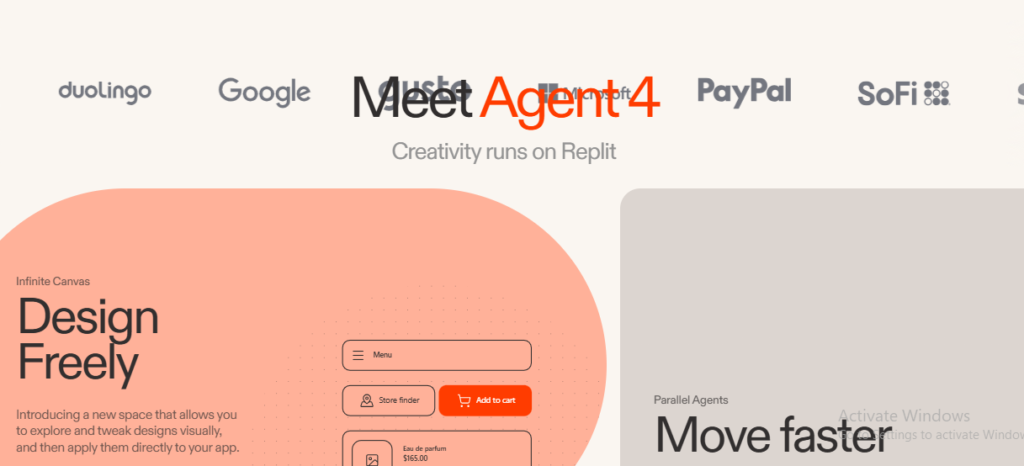
Vibe coding is the practice of instructing AI agents to write code based on natural language prompts. Instead of learning syntax, frameworks, and deployment pipelines, you describe what you want your app to do, and the AI handles the technical implementation.
The shift is fundamental. Traditional development looks like this: have an idea, learn to code or hire developers for $15,000 to $100,000, build a prototype over weeks or months, iterate repeatedly, then launch. Vibe coding compresses that to: have an idea, describe it to an agent, refine through conversation, and launch with one-click deployment.
Research shows organizations embracing this democratized approach see up to 5.8 times faster application development times compared to traditional methods.
What is vibe coding? Vibe coding is a software development approach where you describe app ideas in natural language, and AI agents generate, execute, and iterate on the actual code. You focus on outcomes and user experience while the AI handles technical implementation.
What Is Replit Vibe Coding?
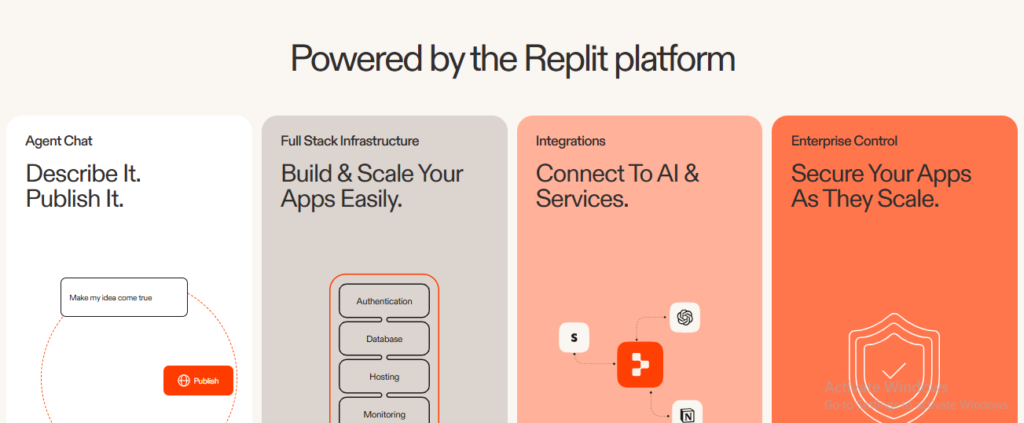
Replit vibe coding is the specific implementation of this concept on Replit’s cloud-based platform. Instead of installing development environments, managing dependencies, or configuring servers, everything happens in your browser. You chat with Replit Agent, describe what you want, and the platform builds, tests, and deploys the app for you.
Replit’s approach has three layers:
1. The Agent. Replit Agent is the AI builder that plans changes, writes code, explains behavior, debugs issues, and improves your app. It operates like a quarterback: it reads the situation, chooses a path, and moves the work forward. You are the coach who sets strategy and reviews results.
2. The IDE. Unlike pure prompt-to-app tools, Replit provides a full integrated development environment with terminal access, direct file editing, and support for 50+ programming languages. This means you can vibe code when you want to move fast, then drop into the code when you need precision.
3. The Infrastructure. Replit handles databases, authentication, object storage, secrets management, and deployment automatically. You do not configure a PostgreSQL instance or set up a CI/CD pipeline. The platform provisions everything behind the scenes.
Replit Agent 4: The Current State of Vibe Coding
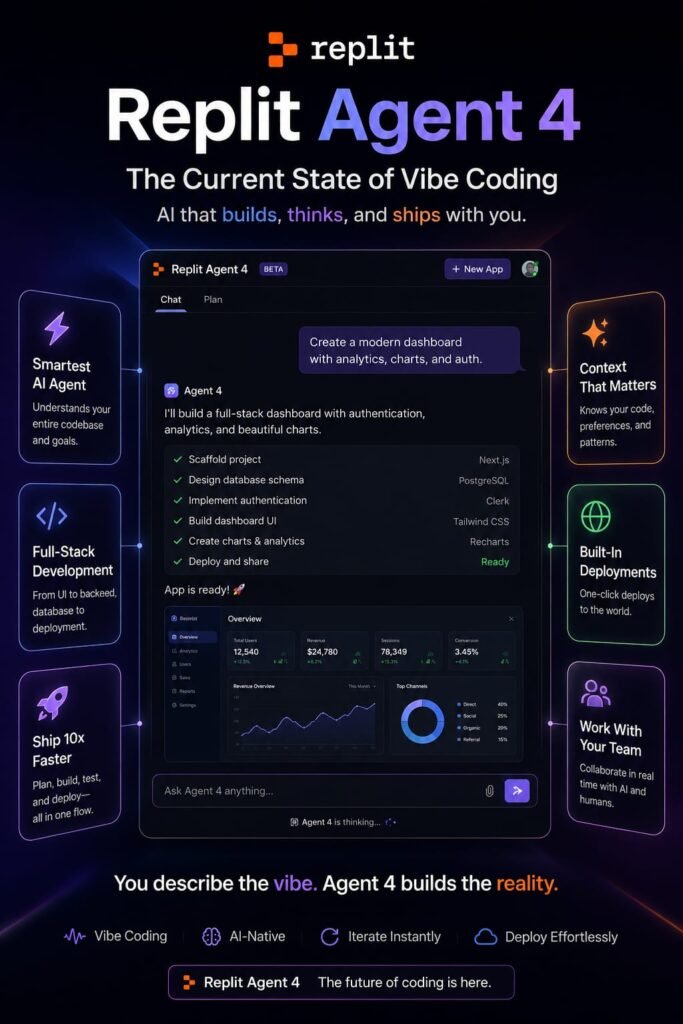
Agent 4, launched in March 2026, represents Replit’s most significant upgrade since the vibe coding movement began. It is built on four pillars designed to keep you in creative flow:
Design Freely
Agent 4 introduces an infinite design canvas where you can explore UI variants visually, tweak them with precise controls like multi-select and hover-state editing, and apply the best option directly to your app. You can generate variants on any element and see new options in context before committing.
Move Faster
Parallel task execution is Agent 4’s headline productivity feature. Multiple agents work on different parts of your app simultaneously—frontend, backend, database schema—through a shared Kanban board. You track progress, review results, and approve tasks before they merge into your main project.
Ship Anything
Agent 4 is not limited to web apps. In the same project, you can create mobile apps, landing pages, slide decks, videos, and data dashboards—all sharing the same backend and design context.
Build Together
Multi-user collaboration means your team can submit requests in any order, and Agent 4 intelligently sequences and executes them. The task-based workflow replaces the linear chat thread that previously forced constant context switching.
How Replit Vibe Coding Actually Works
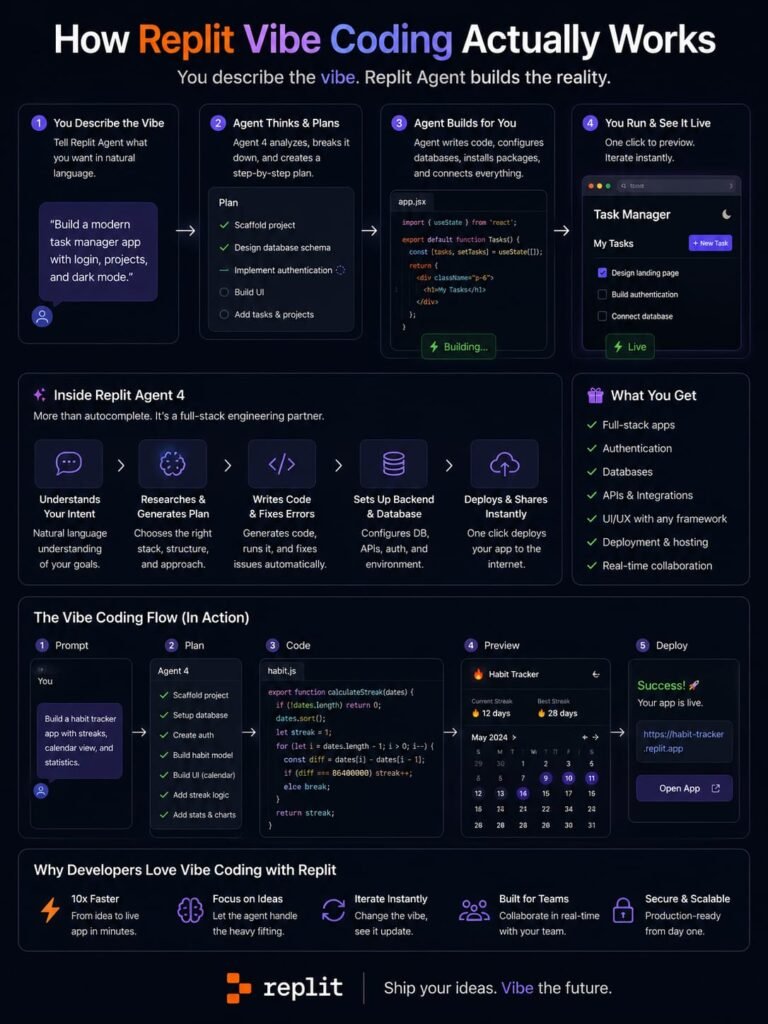
The practical workflow is straightforward but requires some technique to do well:
Step 1: Describe your idea. Open a new Replit App and tell Agent what you want. Be specific about the goal, the focus area, and constraints. Instead of “Build me a todo app,” try “Build a shared task manager where users can create projects, assign tasks with due dates, and see a calendar view. Use a clean, minimal design with a sidebar navigation.”
Step 2: Review the plan. For complex work, toggle Plan mode before submitting. Agent thinks first, then presents a task plan for your approval. This prevents unwanted changes and keeps you in control.
Step 3: Let Agent build. Agent writes code, sets up the database, configures authentication, and deploys. For complex tasks, activate Extended Thinking and High-Power Models.
Step 4: Test and iterate. Agent tests its own work using a browser, generates reports, and fixes issues it finds. You review the output, give feedback, and refine.
Step 5: Deploy. One-click deployment launches your app to a live URL. Replit offers Autoscale, Static, Reserved VM, and Scheduled deployment types.
Replit Vibe Coding Pricing: What You Actually Pay
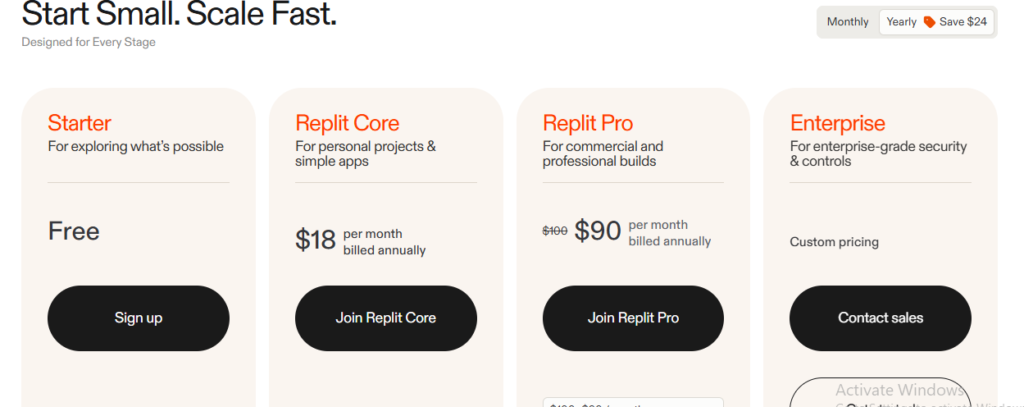
Replit’s pricing is where the vibe coding dream meets financial reality. The platform uses effort-based pricing, meaning credits are consumed based on how much work each request takes—not a flat monthly fee.
Plan Structure (2026)
| Plan | Monthly Price | Annual Price | Monthly Credits | Best For |
|---|---|---|---|---|
| Starter | Free | Free | Daily caps, limited | Testing and learning |
| Core | $20 | $17 | $20 worth | Solo developers, serious builders |
| Pro | $100 | $95 | $100 worth | Small teams (up to 15 builders) |
| Enterprise | Custom | Custom | Custom | Large organizations |
The Credit Reality
The $20 Core plan includes $20 in monthly credits. But here is what pricing pages do not emphasize: complex builds burn credits rapidly. A simple landing page might cost $2.50. A task management app with authentication and database could run $12 to $18. Debugging loops—where Agent fixes one thing and breaks another—can consume $25 or more in a single session.
Critical details:
- Credits do not roll over month to month
- Failed generations still cost credits
- Hosting, storage, and traffic draw from the same pool
- When credits run out, you buy more or continue on pay-as-you-go
How much does Replit vibe coding cost? Replit Core costs $20 per month ($17 annual) and includes $20 in monthly credits. Complex app builds can consume $12–$18 per session, and credits do not roll over. Heavy users often need the $100 Pro plan or additional credit packs.
Model Modes: Controlling Cost and Quality
As of July 2026, Replit allows you to choose which AI model powers your Agent session:
| Mode | Best For | Cost |
|---|---|---|
| Lite | Quick tweaks, bug fixes, visual changes | Lowest |
| Economy | Default for most builds; balances cost and quality | Moderate |
| Power | Complex architectural tasks, performance optimizations | Highest |
| Turbo | Optional Power toggle for fastest runs; Pro plan only | Premium |
This model selector is your primary cost-control tool. Use Lite for moving a button or changing a color. Use Economy for standard feature builds. Reserve Power for tasks where the agent needs to make architectural decisions or handle complex integrations.
Safety Features: Why Replit Calls Itself the Safest Vibe Coding Platform
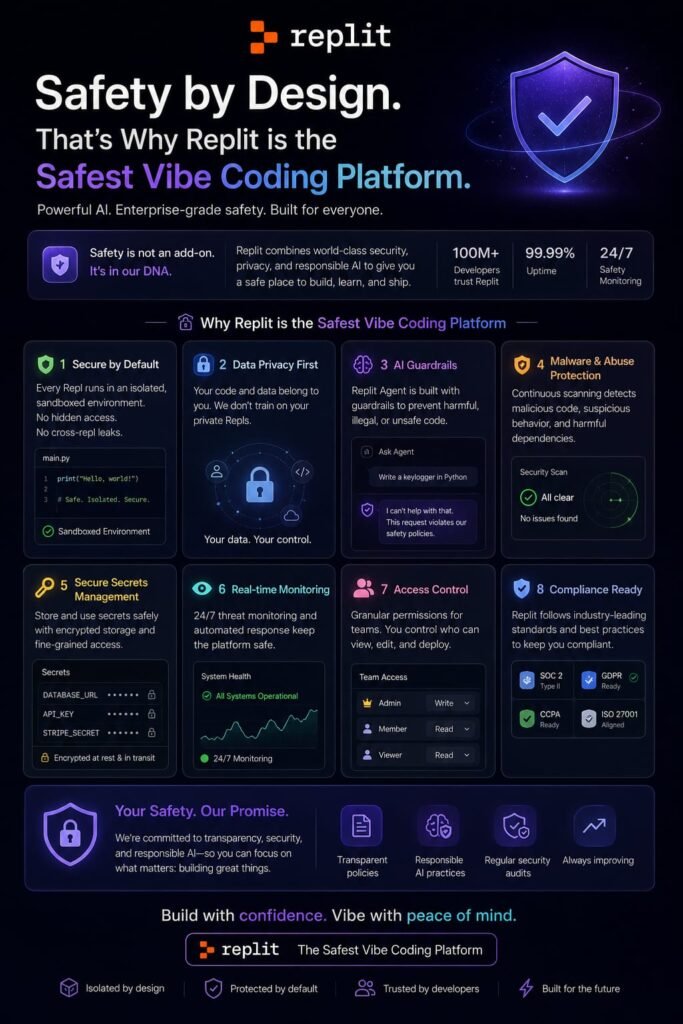
Replit has invested heavily in safety features that matter for non-technical builders:
OS-Level Sandboxing
The Agent is blocked at the operating system level from editing critical files like git history, .replit configuration, and Agent state files. Unlike other platforms that rely on system prompt instructions, Replit uses deterministic process-level blocking. Advanced users can still modify these files through git tools or the shell, but the Agent cannot accidentally destroy months of work.
Secure Secrets Management
If you paste an API key into a prompt, Replit detects it and redirects you to the secure Secrets tool instead. This prevents the common mistake of exposing credentials in session history or source code.
App History and Rollback
Replit rebuilt its checkpoint system as App History, giving you one place to see all versions of your app across Agent sessions. You can preview prior versions with screenshots, optionally roll back database state, and even move forward in history if you change your mind. Runnable snapshots are stored for 7 days.
Security Scanning
Replit offers automated security scanning under the Deployments feature, flagging vulnerabilities before you push to production.
Best Practices for Replit Vibe Coding
After a month of building three apps on Replit, one experienced product manager shared practices that significantly improve success rates:
Use GitHub for Version Control
Initialize a GitHub repo from day one. Create separate development and production environments. Use feature branches for new capabilities. Never edit code directly in production. This prevents the version control nightmares that trap many vibe coders.
Prompt with Given-When-Then
Structure feature requests using the Given-When-Then format from behavior-driven development:
- Given some context
- When some action is carried out
- Then a particular set of observable consequences should obtain
This gives the Agent precise boundaries and reduces misinterpretation.
Require Confirmation Before Building
Add these instructions to your prompts:
- Assess the enhancement and determine what steps need to be taken
- Describe your understanding of the requirements
- Propose best practice user experience
- Generate a step-by-step plan
- Do not proceed until I have confirmed your approach
This planning phase is typically free, and it dramatically reduces the number of failed builds that waste credits.
Use Checkpoints Religiously
Agent creates checkpoints as it works, but you should also manually save stable states before major changes. If a new feature breaks existing functionality, rollback is your fastest recovery path.
Replit Vibe Coding vs Competitors
Replit is not the only vibe coding platform. Here is how it stacks up against the two most common alternatives:
Replit vs Bolt.new
| Dimension | Replit | Bolt.new |
|---|---|---|
| Environment | Browser IDE + Agent | Browser-only prompt-to-app |
| Backend | Real runtime (Python, Node, Go) | Node.js/Express via WebContainers |
| Languages | 50+ | JavaScript only |
| Collaboration | Real-time multiplayer | Limited |
| Deployment | Built-in, multiple types | Native .bolt.host hosting |
| Best for | Full-stack with real backend | Frontend-heavy prototypes |
Replit wins when you need persistent server-side processes, Python backends, or collaborative team workflows. Bolt.new wins when you want the fastest possible path from prompt to deployed URL with minimal complexity.
Replit vs Lovable
| Dimension | Replit | Lovable |
|---|---|---|
| Stack | Multi-language, flexible | React + TypeScript + Tailwind + Supabase |
| Code export | GitHub, GitLab, Bitbucket | GitHub two-way sync |
| Backend | Built-in PostgreSQL, auth | Supabase integration |
| Learning curve | Steeper (full IDE visible) | Gentler (opinionated stack) |
| Best for | Hybrid vibe code + manual edit | Non-technical founders, SaaS MVPs |
Lovable is the smoother choice for non-technical founders who want a polished SaaS MVP without seeing code. Replit is better for builders who want the option to drop into the IDE when the agent hits its limits.
Is Replit or Lovable better for vibe coding? Lovable is better for non-technical founders building SaaS MVPs with minimal complexity. Replit is better when you need a real backend, multiple programming languages, or the flexibility to manually edit code alongside AI generation.
Real-World Use Cases for Replit Vibe Coding
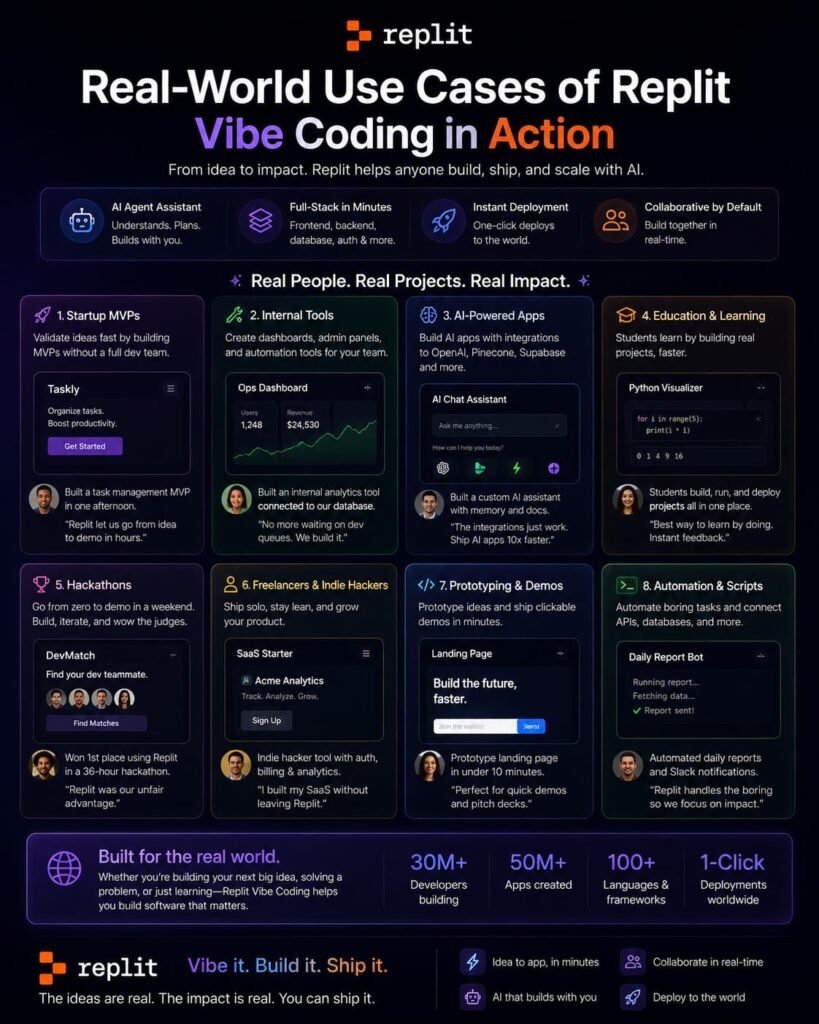
Internal Tools and Dashboards
Non-technical teams at companies like Virgin Voyages have replaced spreadsheets with custom Replit-built apps. A marketing manager at Matthews built an app that auto-generates offering memorandums, cutting turnaround from days to hours.
E-Commerce and Customer Portals
Replit’s Visa partnership, announced in May 2026, embeds payment infrastructure directly into the development environment. This means apps built on Replit can natively support transactions, tokenization, and wallet management without bolt-on integrations.
AI Agents and Automations
Agent can build other agents. You can automate complex workflows using natural language, then integrate those agents with Slack, email, or other services.
Rapid Prototyping for Product Teams
Product managers use Replit to generate functional prototypes from rough concepts, validate ideas with stakeholders, and hand off working code to engineering teams for production hardening.
Limitations and Pain Points
Credit Anxiety
The most common complaint is unpredictable costs. A user reported spending $350 in a single day when Agent entered a debugging loop. The effort-based model means you never know exactly what a session will cost until it is over.
Bug Loops
When Agent misinterprets a request, it can spiral into recursive fixes that break more than they repair. One builder described getting “seemingly halfway through a project, then making some sort of change that broke seemingly separate functions across the application.”
The Full IDE Can Overwhelm Beginners
Unlike Lovable or Bolt, which hide complexity, Replit’s full IDE is always visible. For someone who has never seen a terminal or file tree, this can feel intimidating rather than empowering.
No Credit Rollover
Unused credits expire at month-end. If your production volume is sporadic, you waste money on light months and still need top-ups on heavy months.
Who Should Use Replit Vibe Coding?
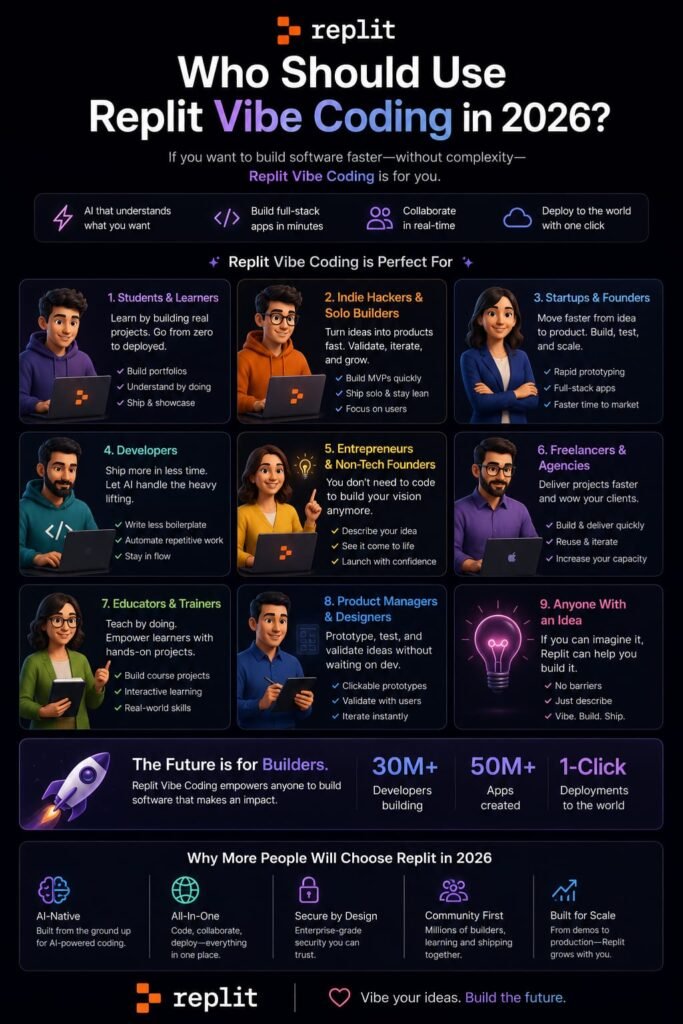
Replit is the right choice if:
- You want a full development environment, not just a prompt-to-app tool
- Your projects need real backends in Python, Node.js, Go, or other languages
- You collaborate with a team and need real-time multiplayer editing
- You value the safety features: sandboxing, secrets management, App History
- You want to start with vibe coding and gradually learn to code manually
- You need built-in deployment without configuring external hosting
Replit is not the best choice if:
- You want the absolute simplest interface with no visible code
- Your budget is tight and you need predictable flat pricing
- You only build frontend-heavy prototypes without backend complexity
- You prefer an opinionated stack that Just Works (Lovable’s React + Supabase)
- You need to graduate to a professional IDE quickly (Bolt’s cleaner export path)
Frequently Asked Questions
What is Replit vibe coding?
Replit vibe coding is the practice of using Replit’s AI Agent to build applications through natural language conversation. You describe what you want, and Agent plans, codes, tests, and deploys the app in Replit’s browser-based cloud environment.
Is Replit vibe coding free?
Replit offers a free Starter plan with daily Agent credits, but the allocation is limited and caps out quickly for real projects. Full functionality with autonomous long builds, Plan Mode, and Connectors requires a paid Core plan at $20 per month.
How much does Replit vibe coding cost?
Core costs $20 per month ($17 annual) with $20 in monthly credits. Pro costs $100 per month ($95 annual) with $100 in credits. Enterprise pricing is custom. Additional compute, AI agent usage, storage, and bandwidth are billed separately when credits run out.
Do I need to know how to code?
No. Agent handles all technical work—writing code, setting up infrastructure, configuring databases. However, basic coding knowledge helps with debugging, customizing edge cases, and reviewing what the AI built before shipping to real users.
What can I build with Replit vibe coding?
You can build web apps, mobile apps, data dashboards, AI-powered tools, landing pages, slide decks, videos, and connected service queries that pull data from BigQuery, Linear, Slack, Notion, and more.
Is Replit safe for vibe coding?
Replit markets itself as the safest vibe coding platform due to OS-level sandboxing that prevents Agent from editing critical files, secure Secrets management for API keys, App History with rollback capabilities, and automated security scanning.
What is the difference between Replit Agent and Assistant?
Agent is the autonomous builder that creates apps from scratch. Assistant works alongside Agent to help you improve existing code, fix errors, and add new features. Agent uses Claude Sonnet for complex tasks; Assistant uses Gemini Flash for quick responses.
Can I export my Replit vibe-coded app?
Yes. You can connect projects to GitHub, GitLab, or Bitbucket for version control and export. However, Replit’s built-in database and hosting create infrastructure dependencies that make migration more involved than simply cloning a repo.
What is Replit Agent 4?
Agent 4 is Replit’s latest AI builder, launched March 2026. It adds an infinite design canvas, parallel task execution with Kanban workflows, multi-artifact support (apps, decks, videos in one project), and intelligent task sequencing for team collaboration.
Is Replit better than Bolt.new and Lovable?
Replit is better for backend-heavy applications, collaborative team builds, and builders who want IDE access. Lovable is better for non-technical founders building SaaS MVPs. Bolt.new is better for the fastest frontend prototypes. The right tool depends on your technical background and project complexity.
My Final Conclusion: Should You Build Your Workflow Around Replit Vibe Coding in 2026?
Replit vibe coding is not a magic box that eliminates all technical work. It is a powerful acceleration layer that removes the barriers between idea and implementation—if you use it correctly. The platform’s strengths are real: a full IDE when you need control, an autonomous Agent when you want speed, built-in safety features that protect non-technical builders, and deployment infrastructure that actually works.
But the caveats are equally real. The effort-based pricing model can surprise you. Bug loops can burn credits and patience. The visible IDE complexity can overwhelm pure beginners. And the lack of credit rollover punishes sporadic creators.
My recommendation: Start with Replit’s free Starter plan. Build something real—not a tutorial example, but an app you actually need. Track your credit consumption. Test the Plan mode. Try a rollback. If the output quality and safety features justify the cost for your specific workflow, upgrade to Core. If you find the interface overwhelming or the credit math unpredictable, try Lovable for a gentler entry point, or Bolt.new for faster frontend prototyping.
The vibe coding landscape in 2026 is mature enough that the right tool is the one that matches your temperament, not the one with the most impressive demo. Replit is the platform for builders who want depth, control, and a path from zero to code. If that sounds like you, it is worth the investment.
Replit is just one part of the rapidly growing AI app-building and vibe-coding ecosystem. If you’re exploring other ways to build applications with AI, you can also check out our guide to Bolt.new AI App Builder, explore the best Cursor AI alternatives in 2026 for AI-powered coding, compare the two platforms in our detailed Replit vs. Lovable guide, and learn more about Lovable in What Is Lovable AI? The Complete Guide to the AI App Builder. Together, these guides will help you understand how today’s leading AI coding and app-building tools compare and which one may be the right choice for your project.
Related Reads:
What Is Lovable AI? The Complete Guide to the AI App Builder Everyone’s Talking About
Is Lovable AI Free? Here’s What You Actually Get
Claude Pro vs ChatGPT Plus: The Real Difference Between These $20 AI Plans
How to Fix AI Image Generator Deformities in Fingers, Toes, and Other Anomalies
What Is Meta AI Muse Spark? The Complete 2026 Guide to Meta’s Flagship AI Model
Kimi K3 Explained: Inside Moonshot AI’s Record-Breaking Open Mode
Best AI App Builder in 2026: 10 Top Tools to Build an App Without Coding
Seedance 2: Inside ByteDance’s Most Realistic AI Video Model Yet (2026)
Is Kling 3.0 Unlimited? The Honest Truth About Free Credits, Paid Plans, and Hidden Costs in 2026