

Discover our Merlin AI review covering features, pricing, Merlin app download, web access, pros, cons, alternatives, and whether Merlin AI is worth it.
AI tools are everywhere in 2026, but the biggest problem is no longer finding an AI chatbot. The real challenge is finding one AI assistant that can handle different tasks without forcing you to jump between multiple websites and apps.
That is where Merlin AI comes in.
Merlin is designed as an AI-powered productivity assistant that can help with writing, research, summarization, content creation, coding, web searches, and other everyday tasks. Instead of using one tool for writing, another for summarizing YouTube videos, another for research, and another for AI assistance inside your browser, Merlin attempts to bring many of these capabilities together.
But is Merlin AI actually useful, or is it simply another wrapper around popular AI models?
In this comprehensive Merlin AI review, we will examine what Merlin is, how it works, its major features, pricing considerations, Merlin app download options, Merlin Web, its strengths and weaknesses, alternatives, and who should consider using it.
We will also look at a practical 90-day evaluation and answer some of the most common questions people ask about Merlin.
Quick answer: Merlin AI is best understood as a multi-purpose AI assistant designed to bring AI-powered writing, research, summarization, content creation, and productivity features into a single workflow. Its biggest appeal is convenience rather than replacing every specialized AI tool.
What Is Merlin AI?
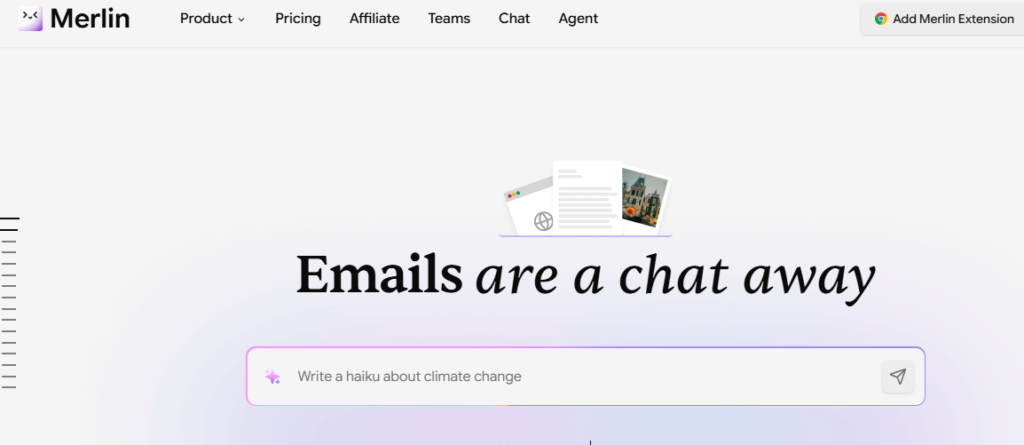
Merlin AI is an AI-powered productivity assistant that provides access to multiple AI capabilities from one platform.
Rather than being limited to a single chatbot experience, Merlin is designed around the idea of bringing AI assistance into the places where users already work.
Depending on the feature and plan available, Merlin can help with tasks such as:
- Writing and rewriting
- Summarizing content
- Research
- Answering questions
- Generating content
- Analyzing information
- Working with documents
- Understanding webpages
- YouTube summarization
- Coding assistance
- Brainstorming
- Marketing tasks
- Social media content
- Email writing
One of Merlin’s most interesting aspects is its browser-oriented approach.
Instead of opening an AI website every time you need help, Merlin can be accessed through browser-based functionality and extensions, allowing AI assistance to appear closer to the content you are already viewing.
That can make a surprisingly big difference to productivity.
How Does Merlin AI Work?

The basic concept is relatively simple.
You provide Merlin with an instruction, question, webpage, document, or other piece of information.
Merlin then processes your request using the AI capabilities available through its platform and returns an answer or generated result.
For example, imagine you’re reading a long article about AI marketing.
Instead of manually copying the entire article into an AI chatbot, you may be able to use Merlin’s browser functionality to summarize or analyze the content.
The workflow becomes:
Open webpage → activate Merlin → give instruction → receive AI-generated response
This is particularly useful when your work already happens inside a browser.
Merlin AI Features: What Can You Actually Do With It?
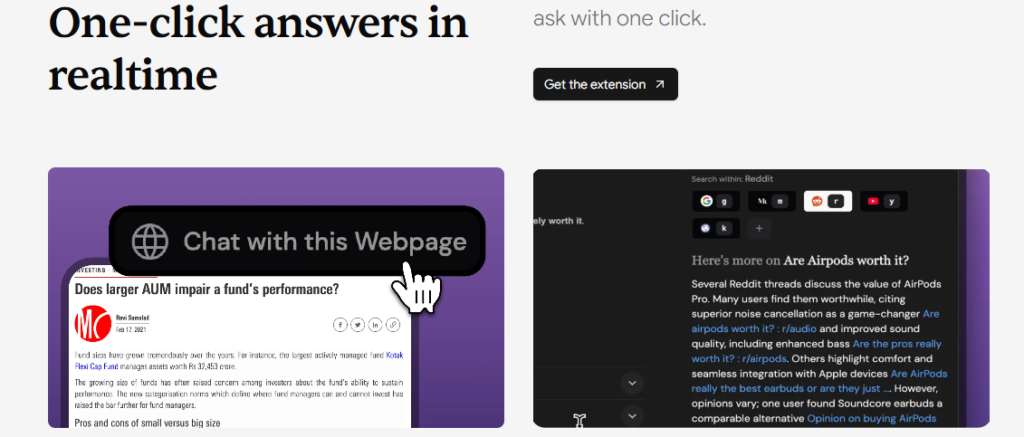
One of the reasons Merlin has attracted attention is the range of tasks it attempts to support.
Let’s examine the most useful ones.
1. AI Writing Assistant
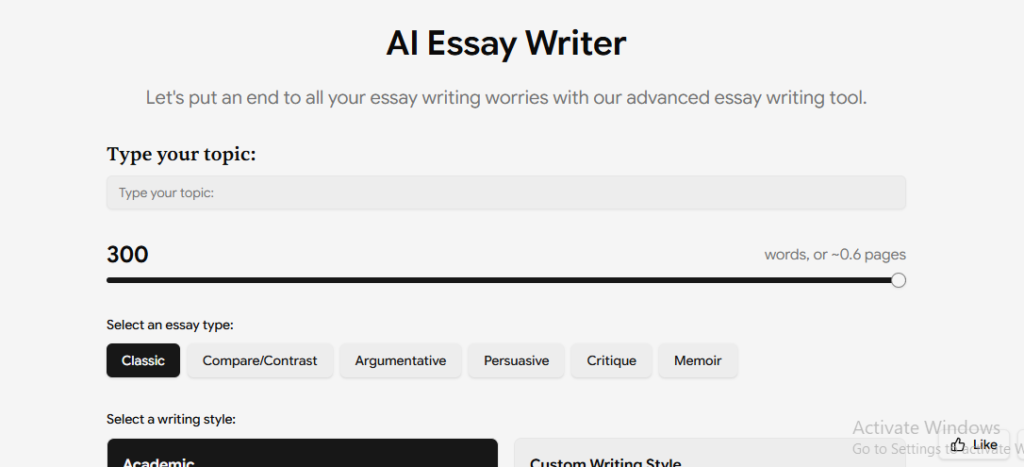
Writing is one of Merlin’s most obvious use cases.
You can use an AI assistant to help with:
- Blog posts
- Emails
- Product descriptions
- Social media posts
- Ad copy
- Headlines
- Rewriting
- Grammar improvement
- Summaries
- Brainstorming
For example, if you have written a rough introduction for a blog article, you can ask Merlin to make it clearer and more engaging.
However, there is an important distinction between AI-generated content and good content.
Merlin can help you produce a first draft, but you should still fact-check information, add original insights, and edit the final copy.
That is especially important for websites trying to build long-term search visibility.
Internal linking opportunity: Link “AI-generated content” to your article discussing AI writing tools and SEO.
2. Merlin AI for Research
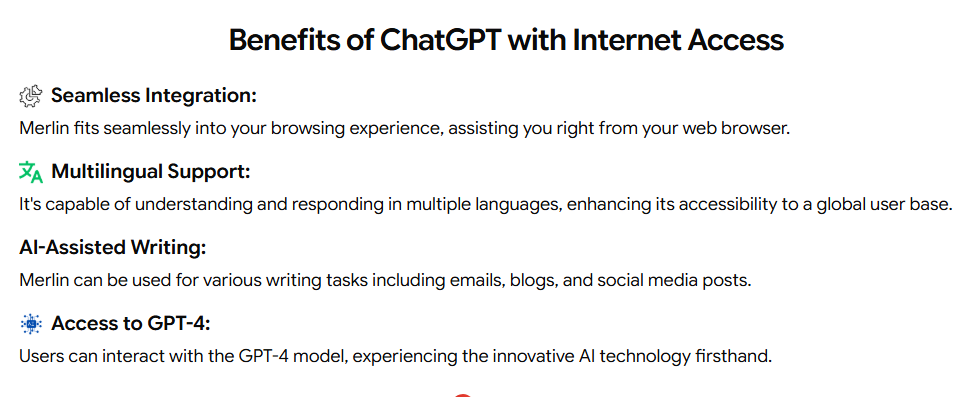
Research is another area where Merlin can be useful.
Instead of simply asking:
“What is artificial intelligence?”
you can give it a more specific research task.
For example:
“Compare the advantages and disadvantages of five AI website builders for a small business.”
A good AI research workflow might then involve:
- Defining the question
- Collecting relevant information
- Comparing sources
- Identifying important differences
- Creating a structured summary
- Verifying important claims
The final step is critical.
Never assume that an AI-generated answer is automatically accurate simply because it sounds confident.
For business decisions, pricing, legal information, technical specifications, or other important subjects, verify information using primary sources.
3. Merlin AI for Summarizing Web Pages
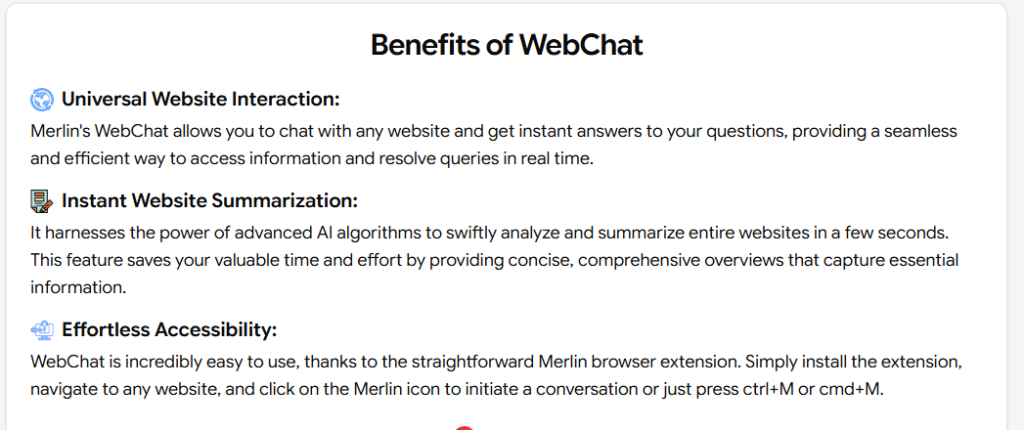
This is one of the features that makes a browser-based AI assistant particularly convenient.
Imagine you open a 5,000-word article and only want the key points.
Instead of reading the entire article immediately, you can use AI assistance to create a summary.
You could ask:
“Summarize this article in 10 bullet points.”
Or:
“What are the three most important conclusions from this page?”
This can save considerable time during research.
A practical example
Suppose you’re researching competitors for an SEO article.
You open several competitor pages.
Rather than taking notes manually from each page, you can use AI to identify:
- Main topics
- Key claims
- Features
- Pricing
- Advantages
- Disadvantages
- Frequently mentioned terms
You can then perform your own analysis and create something more useful and original.
4. Merlin AI for YouTube
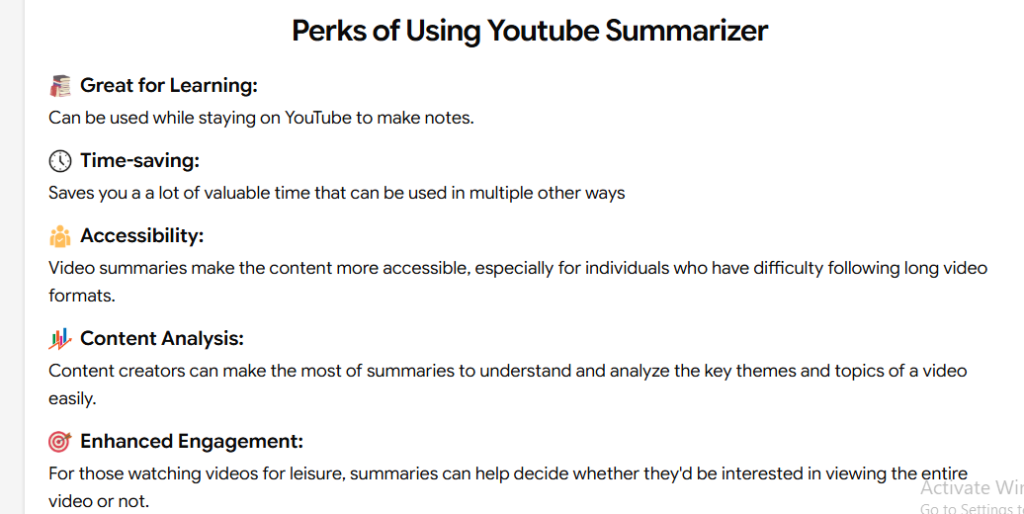
Video content has become an important source of information.
But watching a 45-minute video just to find three useful points isn’t always efficient.
AI-powered summarization can help you quickly understand the main ideas of longer videos.
For example, you could use Merlin to help answer:
- What is this video about?
- What are the main points?
- What tools are mentioned?
- What recommendations does the creator make?
- Can you summarize the video in five points?
This can be particularly helpful for:
- Students
- Researchers
- Content creators
- Marketers
- Entrepreneurs
- Professionals
Internal linking opportunity: Link this section to your article about the best AI tools for YouTube.
5. Merlin AI for Emails
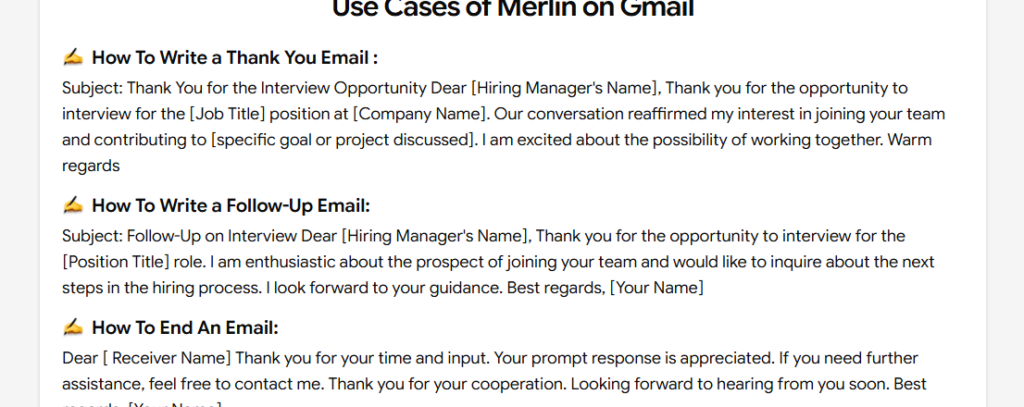
Writing emails can become repetitive.
You may know what you want to communicate but struggle with the wording.
An AI assistant can help turn a rough idea into a professional message.
For example:
Your rough instruction:
“Tell the client that the project will be delayed two days because we need additional testing.”
Merlin can help transform that into a clearer professional message.
This can save time without requiring AI to make the decision for you.
The best approach is to provide the context yourself and use AI primarily for drafting and refinement.
6. Merlin AI for Social Media Content
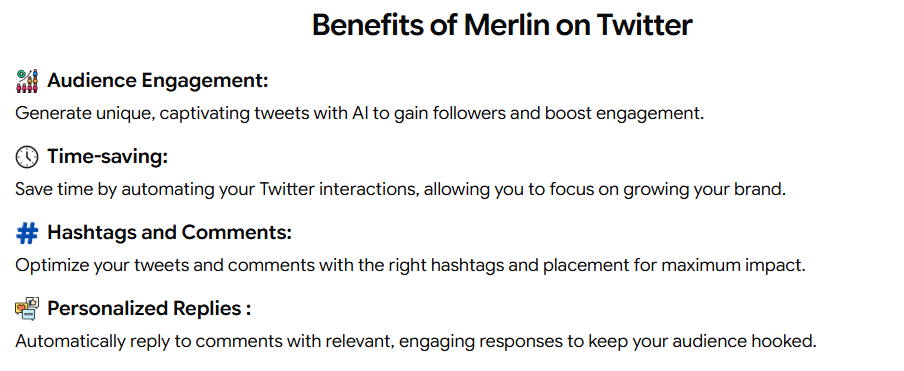
Content creators and marketers can also use Merlin for social media brainstorming.
For example:
“Give me 15 Instagram Reel ideas about AI productivity tools.”
You could then ask it to turn one idea into:
- A hook
- Caption
- Short script
- Call-to-action
- Hashtag ideas
This can help reduce the blank-page problem.
However, generic AI-generated social content can sound repetitive.
The best results usually come when you provide:
- Your audience
- Your brand voice
- The platform
- The objective
- Examples of your existing content
7. Merlin AI for Coding
AI coding assistance is another potential use case.
You can use AI to help with:
- Explaining code
- Finding errors
- Generating functions
- Converting code between languages
- Writing simple scripts
- Understanding technical concepts
- Debugging
For example:
“Explain what this JavaScript function does in simple language.”
Or:
“Find the likely reason this Python function is returning an empty list.”
AI coding assistants can be extremely useful, but developers should always test generated code.
Never blindly copy AI-generated code into production systems, particularly when security, authentication, payments, or sensitive data are involved.
Internal linking opportunity: Link “AI coding assistants” to your existing articles about Cursor AI, Lovable, Bolt.new, or other AI app builders.
Merlin Web: Can You Use Merlin Without an App?
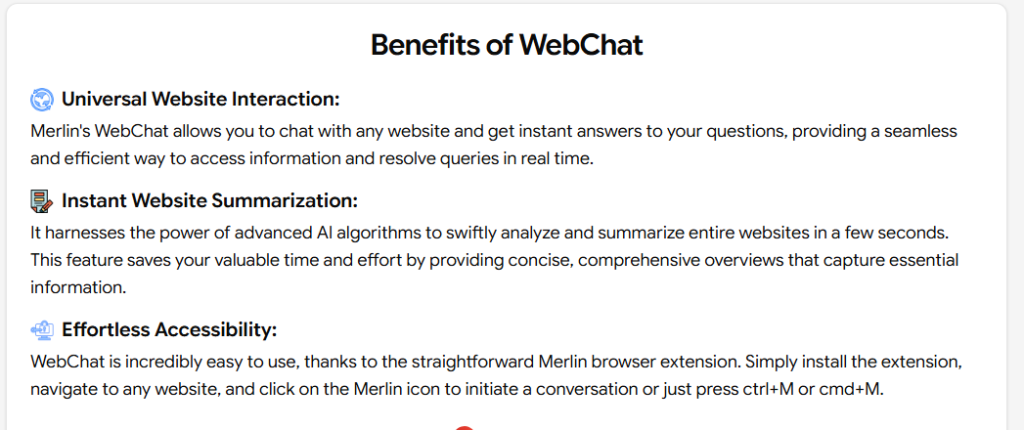
Yes, browser-based access is one of Merlin’s key advantages.
The Merlin Web experience allows users to interact with Merlin through a browser rather than relying exclusively on a mobile application.
This matters because many AI workflows happen on a computer:
- Research
- Writing
- SEO
- Coding
- Content creation
- Competitor analysis
A browser-based AI assistant can fit naturally into those workflows.
The exact interface and available features can change over time, so users should check Merlin’s current official website before relying on a particular feature.
Merlin App Download: Where Can You Get Merlin?
One of the most common searches around the platform is “Merlin app download.”
Before downloading anything, make sure you’re using the official Merlin website or an official app-store listing.
Avoid downloading random APK files or browser extensions from unfamiliar third-party websites.
For desktop users
The browser extension or web-based experience may be the most convenient option if your primary work happens on a computer.
For mobile users
If an official mobile application is available for your device and region, use the relevant official app marketplace rather than downloading an unofficial APK.
A simple safety rule
If a website asks you to disable security settings, install an unknown executable, or provide unusual account information just to access Merlin, stop and verify the source.
This is especially important because popular AI tools are frequently imitated by unofficial websites.
Internal linking opportunity: Link “AI tools” to your website’s AI tools category page.
Merlin.com: Is Merlin.com the Official Website?
When people search for “Merlin com”, they are generally trying to find the official Merlin website.
Because AI brands can have similarly named domains and third-party websites, it is important to verify that you’re accessing the legitimate service before entering login information.
Don’t assume that the first search result is automatically the official product.
Check:
- Domain spelling
- HTTPS connection
- Official social profiles
- App-store publisher
- Company information
- Links from official documentation
For the most current access information, use the official Merlin website rather than relying on unofficial download pages.
Merlin AI Pricing: Is It Free?
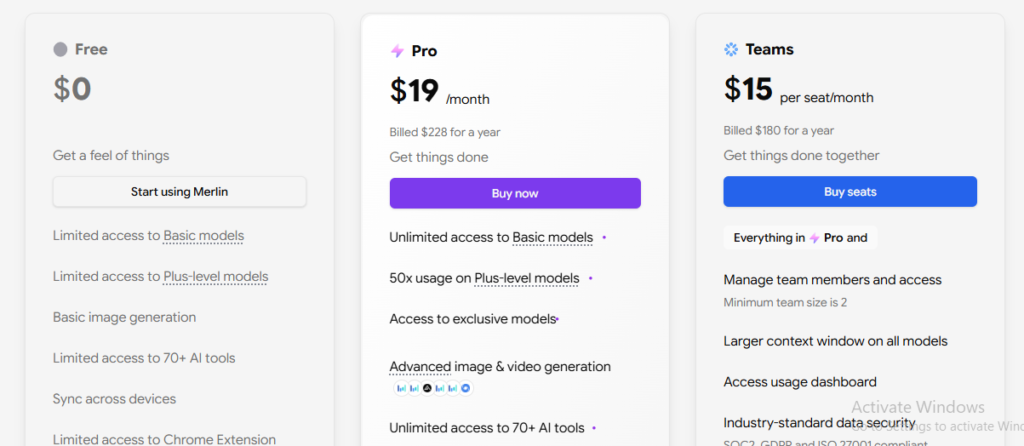
Pricing is one of the areas you should check immediately before committing to Merlin.
AI platforms frequently change:
- Subscription tiers
- Credit limits
- Model access
- Usage limits
- Features
- Promotional offers
Merlin has historically offered free usage with limits alongside paid plans, but the exact pricing and allowances can change.
Therefore, rather than treating an old pricing screenshot as permanent, check the current pricing page before subscribing.
What matters more than the monthly price?
Don’t only ask:
“How much does Merlin cost?”
Ask:
“How much AI usage do I receive for that price?”
Two AI services might both cost $20 per month but offer dramatically different usage allowances.
Look at:
- Monthly credits
- Model availability
- File limits
- Image capabilities
- Research features
- Automation
- Context limits
- Browser functionality
That gives you a much more realistic picture of value.
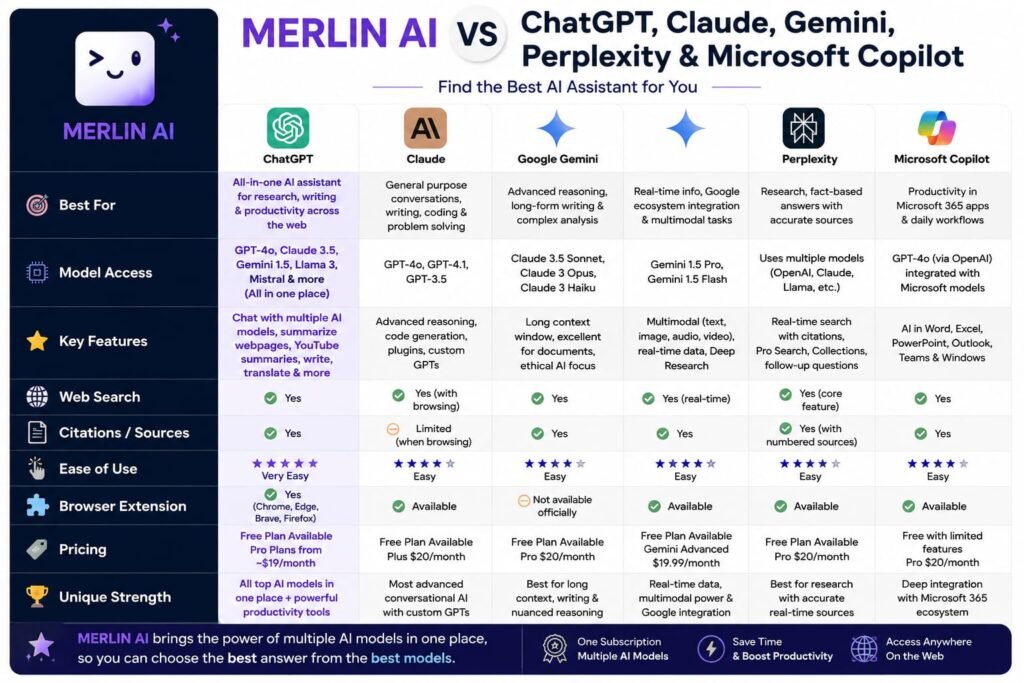
Merlin AI vs ChatGPT
This is probably one of the most important comparisons.
ChatGPT is a broad AI assistant with extensive capabilities, while Merlin focuses heavily on bringing AI assistance into different workflows and browser-based environments.
ChatGPT may be better for:
- Deep conversations
- General AI assistance
- Complex reasoning
- Long-form writing
- Custom workflows
- Dedicated AI workspace
Merlin may be better for:
- Browser-based workflows
- Quick access while researching
- Summarizing webpages
- Combining AI assistance with existing browsing
- Users who want multiple AI capabilities within one productivity layer
The best choice depends on how you work.
If you spend most of your day inside a browser researching websites, Merlin’s approach can be attractive.
If you want one primary AI assistant for deep conversations and broad tasks, ChatGPT may be more suitable.
Internal linking opportunity: Link “ChatGPT” to your existing Claude Pro vs ChatGPT article.
Merlin AI vs Claude
Claude is particularly strong for long-form writing, document analysis, reasoning, and working with large amounts of text.
Merlin’s advantage is less about trying to be “better than Claude” and more about giving users an additional AI productivity layer.
For example, a user might prefer Claude for a long document-writing task but use Merlin for quick assistance while browsing.
That means these tools don’t necessarily have to be competitors.
They can be complementary.
Merlin AI vs Gemini
Gemini is Google’s AI ecosystem and is particularly attractive to users who already rely heavily on Google products.
Its integration with Google’s ecosystem can be a major advantage.
Merlin’s value proposition is different.
It focuses more on bringing AI assistance across workflows and making AI available through a unified interface.
Choose Gemini if:
- You heavily use Google services
- You want Google’s AI ecosystem
- Google integrations are important to your workflow
Consider Merlin if:
- Browser productivity is your priority
- You want AI assistance across different websites
- You want a multi-purpose AI productivity layer
Merlin AI vs Perplexity
Perplexity is strongly associated with AI-powered search and research.
If your main question is:
“I need an AI search engine that gives me source-backed answers.”
Perplexity may be the more natural choice.
Merlin is broader.
It can be used for writing, summarization, research, content generation, and other productivity tasks.
In simple terms:
Perplexity = AI search and research focus
Merlin = broader AI productivity focus
There is considerable overlap, but their primary experiences are different.
Merlin AI vs Microsoft Copilot
Microsoft Copilot becomes particularly attractive for users deeply invested in Microsoft’s ecosystem.
If your work revolves around Microsoft 365 applications, Copilot’s integrations can be a major benefit.
Merlin can appeal more to users looking for an AI assistant that operates across browser-based workflows.
Again, the right choice depends on where you already spend your time.
Merlin AI vs Other AI Tools: Detailed Comparison
| Feature | Merlin AI | ChatGPT | Claude | Gemini | Perplexity |
|---|---|---|---|---|---|
| General AI assistant | Yes | Yes | Yes | Yes | Yes |
| Web research | Yes | Yes | Yes | Yes | Strong focus |
| Writing | Strong | Strong | Strong | Strong | Good |
| Summarization | Strong | Strong | Strong | Strong | Strong |
| Browser workflow | Strong focus | Available | Available | Available | Available |
| Coding | Yes | Strong | Strong | Strong | Yes |
| AI search | Yes | Yes | Yes | Strong | Strong focus |
| Content creation | Yes | Yes | Yes | Yes | Yes |
| Multiple AI capabilities | Yes | Yes | Yes | Yes | Yes |
| Best for | Productivity workflows | General AI | Writing/reasoning | Google ecosystem | Research |
Bottom line: There is no universal winner.
Your workflow should determine the winner.
Real Results: My 90-Day Merlin AI Usage Review
A proper long-term AI review should focus on what happens after the initial excitement disappears.
AI tools can look impressive during the first hour.
The real question is:
Do you still find yourself using them three months later?
Rather than presenting invented personal usage statistics, here’s the practical 90-day framework I would use to evaluate Merlin.
Days 1–30: Learning Merlin
The first month should be about discovering where Merlin actually saves time.
I would test:
- Writing
- Web summarization
- Research
- Email drafting
- YouTube summaries
- Content ideas
- Coding assistance
The goal isn’t to use every feature.
It’s to identify your three most useful workflows.
For example:
Research → summarize → create notes
could become your primary Merlin workflow.
Days 31–60: Building Repeatable Workflows
Once you know which features are useful, use Merlin repeatedly.
For a content creator, a workflow might look like:
Research competitors → summarize pages → identify gaps → brainstorm article → draft outline → edit manually
For an affiliate marketer:
Research product → compare features → summarize reviews → identify user pain points → create article outline
For a student:
Research topic → summarize sources → create notes → generate questions → review manually
The second month is about discovering whether Merlin becomes a habit.
Days 61–90: Measuring Productivity
By the third month, you should measure actual time savings.
Ask yourself:
- How many minutes does Merlin save me per article?
- Does it reduce repetitive research?
- Does it improve my writing workflow?
- Do I use it every week?
- Are the outputs accurate?
- How often do I need to correct them?
- Is the subscription worth the time saved?
This is a much better way to judge an AI tool than simply counting features.
My practical conclusion
If Merlin saves you several hours every month and you regularly use its browser-based capabilities, the platform can justify its cost.
If you only use it occasionally for generic questions, a free AI chatbot may already be enough.
Merlin AI Pros and Cons
Merlin AI Pros
1. Broad range of AI tasks
Merlin isn’t limited to one narrow use case.
2. Convenient browser workflow
This is arguably one of its biggest advantages.
3. Useful for content creators
Writers and marketers can use it for research, brainstorming, summarization, and drafting.
4. Good for repetitive tasks
AI assistance can reduce the time spent on routine writing and summarization.
5. Multiple AI use cases in one place
You don’t necessarily need a separate AI tool for every small task.
6. Useful for research
It can speed up the process of understanding large amounts of web content.
7. Accessible to non-technical users
You don’t need programming knowledge to get value from Merlin.
Merlin AI Cons
1. AI answers still require verification
This is true of virtually every AI platform.
AI can produce confident but incorrect information.
2. Usage limits can matter
Free access may be enough for occasional users but insufficient for heavy users.
3. Specialized tools can be better
A dedicated AI search engine, writing platform, coding assistant, or research tool may outperform a general-purpose assistant in specific situations.
4. Feature overload
Having many capabilities can make the platform feel complicated initially.
5. AI quality can vary
Different tasks can produce different levels of quality.
You should test the exact workflow you care about rather than assuming every feature works equally well.
6. Pricing can change
Always check the current pricing and usage limits before subscribing.
Who Should Use Merlin AI?
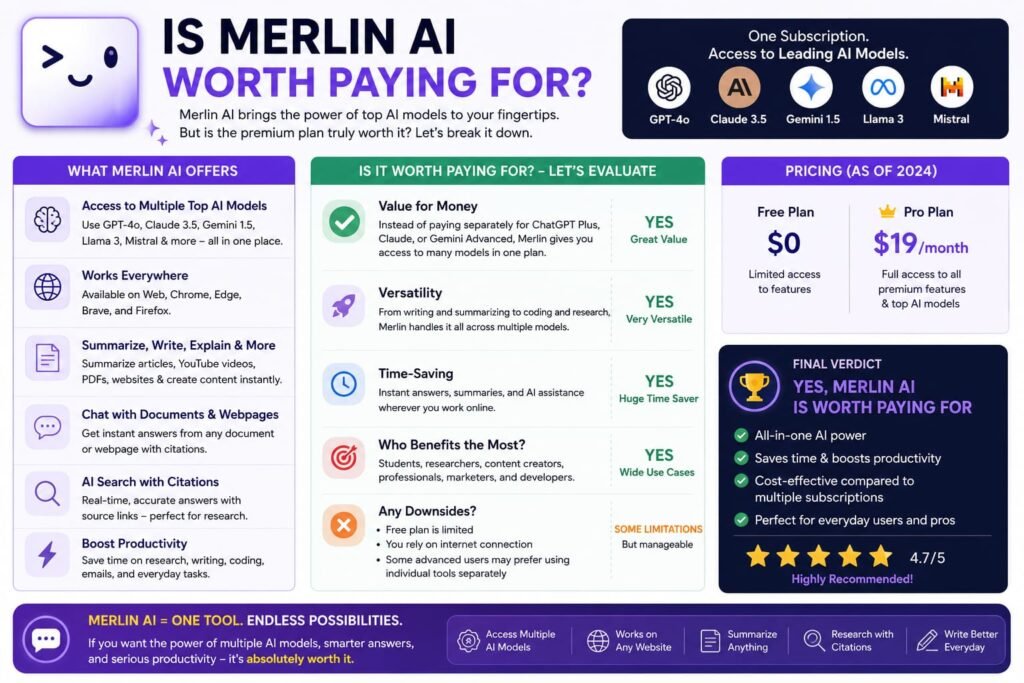
Merlin is particularly worth considering if you are:
A Blogger
Use it for:
- Topic research
- Summaries
- Outlines
- Content brainstorming
- Editing
An SEO Professional
Use it for:
- Competitor research
- Content analysis
- Topic discovery
- Summarization
- Drafting
But don’t use AI as a substitute for genuine SEO research.
An Affiliate Marketer
Merlin can help research products and create content workflows.
A Student
It can help simplify complex information and generate study materials.
Always follow your school’s or institution’s AI policies.
A Content Creator
Use it to brainstorm scripts, captions, hooks, and content ideas.
A Professional
Email drafting, document summarization, research, and everyday productivity can all benefit from AI assistance.
Who Should Avoid Merlin AI?
Merlin may not be the best choice if:
- You only need basic chatbot functionality.
- You rarely use AI.
- You already have a specialized AI stack that works perfectly.
- You require highly advanced enterprise automation.
- You need guaranteed factual accuracy without manual verification.
- You don’t spend much time working in browser-based environments.
In those situations, a simpler or more specialized tool may provide better value.
Is Merlin AI Worth Paying For?
The answer depends heavily on your usage.
It may be worth paying for if:
You use Merlin every day for:
- Research
- Writing
- Summaries
- Content creation
- Browser productivity
It may not be worth paying for if:
You only ask it a few questions every week.
In that case, free AI services may cover most of your needs.
The best strategy is to start with the available free usage and monitor how frequently you hit its limits.
If you’re constantly reaching those limits and the tool is genuinely saving you time, upgrading becomes easier to justify.
How to Get Better Results From Merlin AI
The quality of your prompt makes a huge difference.
Instead of:
“Write an article about AI.”
Try:
“Create a beginner-friendly 1,500-word outline about AI productivity tools. Use clear H2 and H3 headings, identify common beginner questions, and suggest examples for each section.”
Give Merlin:
- Context
- Audience
- Objective
- Tone
- Format
- Constraints
Use AI as an assistant, not an autopilot
This is especially important for SEO.
Don’t publish the first AI-generated answer.
Instead:
AI research → human verification → original analysis → editing → fact checking → publication
That workflow produces substantially more useful content.
Is Merlin AI Safe to Use?
The safest approach is to treat Merlin like any other third-party AI service.
Before entering sensitive information, understand:
- What information you’re sharing
- How the service handles data
- What permissions browser extensions request
- Whether your organization permits third-party AI tools
- Whether confidential information should be excluded
Don’t paste passwords, private financial information, confidential business documents, or sensitive personal information into an AI tool unless you have verified that the service and your organization’s policies permit it.
Also, install browser extensions and applications only from trusted official sources.
Frequently Asked Questions About Merlin AI
What is Merlin AI?
Merlin AI is an AI-powered productivity assistant designed to help users with writing, research, summarization, content creation, coding, and other everyday tasks.
Is Merlin AI free?
Merlin has offered free access with usage limits, alongside paid options. Because AI pricing and usage allowances can change, check the current official pricing before subscribing.
What is Merlin Web?
Merlin Web refers to using Merlin through a browser-based experience. This makes it particularly useful for users who want AI assistance while researching or working online.
Where can I download the Merlin app?
Use Merlin’s official website or the official app marketplace for your device. Avoid unofficial APK or software-download websites.
Is Merlin AI better than ChatGPT?
Not universally. Merlin is particularly interesting for browser-based productivity workflows, while ChatGPT is a broader general-purpose AI assistant. The better option depends on your workflow.
Is Merlin AI better than Perplexity?
For pure AI-powered search and research, Perplexity may be a better fit. Merlin is broader and combines research with writing and productivity features.
Can Merlin summarize YouTube videos?
Merlin can be used for AI-assisted video and content summarization where the relevant feature and source are supported. Availability can vary, so verify the current feature set.
Can Merlin AI write blog posts?
Yes. Merlin can help with blog outlines, drafts, rewrites, introductions, ideas, and other writing tasks. Human editing and fact-checking are still essential.
Can Merlin AI help with coding?
Yes. AI coding assistance can help explain code, generate snippets, debug problems, and work through programming concepts. Generated code should always be tested.
Is Merlin AI good for students?
It can be useful for summarizing information, brainstorming, explaining concepts, and creating study materials. Students should follow their school’s AI-use policies.
Does Merlin AI replace ChatGPT?
Not necessarily. Many users could reasonably use both. Merlin’s browser-oriented workflow can complement a general-purpose chatbot.
Is Merlin AI worth it in 2026?
For frequent users who benefit from browser-based AI assistance, research, writing, and summarization, it can be worth considering. Occasional users may be perfectly happy with free AI services.
The Final Verdict: Should You Try Merlin AI in 2026?
After looking at its features, use cases, strengths, weaknesses, alternatives, and practical workflow, Merlin AI has a clear value proposition.
It isn’t simply about generating text.
Its bigger appeal is bringing AI assistance closer to the work you’re already doing online.
For bloggers, researchers, marketers, students, affiliate marketers, and professionals, that can save meaningful time.
The biggest advantages are:
- Browser-focused productivity
- Writing assistance
- Research support
- Summarization
- Content creation
- Coding assistance
- Multiple AI workflows
- Accessibility for beginners
The biggest limitations are:
- AI-generated information still needs verification
- Usage limits can affect heavy users
- Specialized tools can be better at specific tasks
- Pricing and features can change
- Not every workflow needs another AI subscription
My final take
Merlin AI is worth trying if your daily work involves a lot of browser research, writing, summarization, or repetitive content tasks.
But don’t subscribe simply because an AI tool has a long feature list.
Test your actual workflow.
Use Merlin for a week or two.
Track how much time it saves.
Then decide whether it deserves a permanent place in your AI toolkit.
And if you’re searching for Merlin app download, Merlin Web, or Merlin com, always start from the official Merlin source rather than an unknown third-party download page.
If you’re already reading my Merlin AI review, it’s also worth comparing it with other tools that solve different problems. For an all-in-one marketing and business platform, check out my System.io Review 2026; if you’re deciding between the leading AI models themselves, see Claude Pro vs ChatGPT Plus: The Real Difference Between These Models; and if you’re curious about another powerful AI assistant, take a look at Kimi AI vs ChatGPT: Which AI Assistant Actually Wins? These comparisons can help you decide whether Merlin AI’s multi-model approach is the right fit for your specific needs.
Related Reads:
What Is Lovable AI? The Complete Guide to the AI App Builder Everyone’s Talking About
Is Lovable AI Free? Here’s What You Actually Get
Claude Pro vs ChatGPT Plus: The Real Difference Between These $20 AI Plans
How to Fix AI Image Generator Deformities in Fingers, Toes, and Other Anomalies
What Is Meta AI Muse Spark? The Complete 2026 Guide to Meta’s Flagship AI Model
Kimi K3 Explained: Inside Moonshot AI’s Record-Breaking Open Mode
Best AI App Builder in 2026: 10 Top Tools to Build an App Without Coding
Seedance 2: Inside ByteDance’s Most Realistic AI Video Model Yet (2026)
Is Kling 3.0 Unlimited? The Honest Truth About Free Credits, Paid Plans, and Hidden Costs in 2026