

Replit vs Cursor: which AI coding tool wins in 2026? Compare Agent 4, Agent Mode, pricing, deployment, collaboration, and find the right fit for your workflow.
If you have spent any time in AI coding communities this year, you have seen the debate rage on: replit vs cursor—which one actually delivers? The question sounds simple, but the answer depends entirely on who you are, what you are building, and how comfortable you are reading code.
Replit and Cursor are not direct competitors in the traditional sense. One is a cloud platform that builds and deploys apps from a sentence. The other is a desktop code editor that makes experienced developers write code faster. Yet both are fighting for the same mindshare: people who want AI to do more of the software development work.
We have spent months testing both platforms across real projects—prototyping SaaS dashboards, refactoring legacy codebases, and shipping production apps. This guide cuts through the Reddit arguments and marketing claims to give you a practical framework for choosing between them. By the end, you will know exactly which tool fits your skill level, your project stage, and your budget.
What Is Replit in 2026?
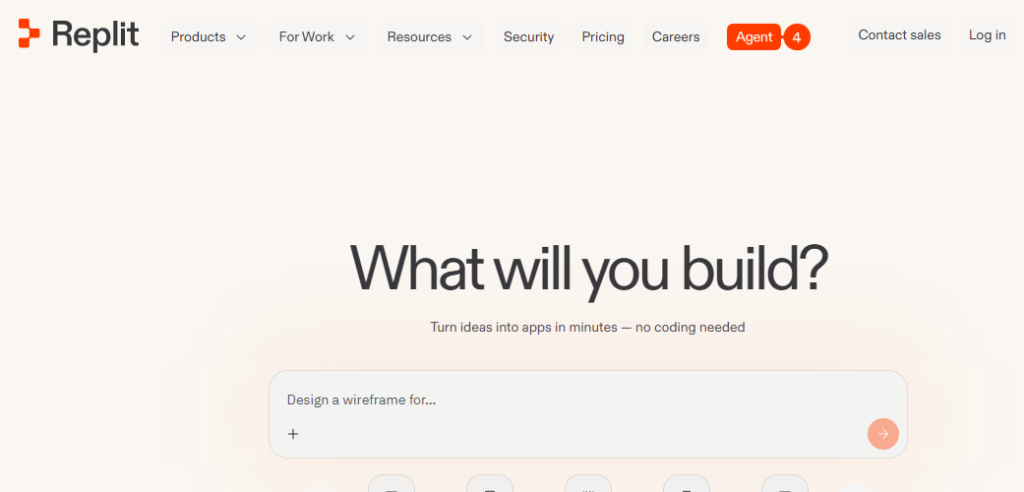
Replit started as a browser-based coding environment for students. In 2026, it is unrecognizable from that origin. The platform has pivoted into a full-stack AI application builder where you describe what you want in natural language, and an autonomous agent builds the frontend, backend, database, and deployment pipeline—all inside your browser.
Replit Agent 4, launched in March 2026, is the current flagship. It introduced four major evolutions over Agent 3:
- Design Canvas: An infinite board for exploring UI variants visually before committing to code
- Parallel task execution: Multiple agents work on different parts of your app simultaneously via a shared Kanban board
- Plan-while-building: You can plan new features while the agent is still building others, instead of waiting sequentially
- Multi-artifact support: Build websites, web apps, mobile apps, slides, and animations from the same project
Replit’s core value proposition is speed of shipping. You can go from a prompt to a live URL in under an hour without installing anything locally. The platform bundles the editor, runtime, database, hosting, and AI into one subscription.
In March 2026, Replit’s valuation reportedly tripled to $9 billion, reflecting investor confidence in its pivot from “coding platform” to “knowledge work agent.”
What Is Cursor in 2026?
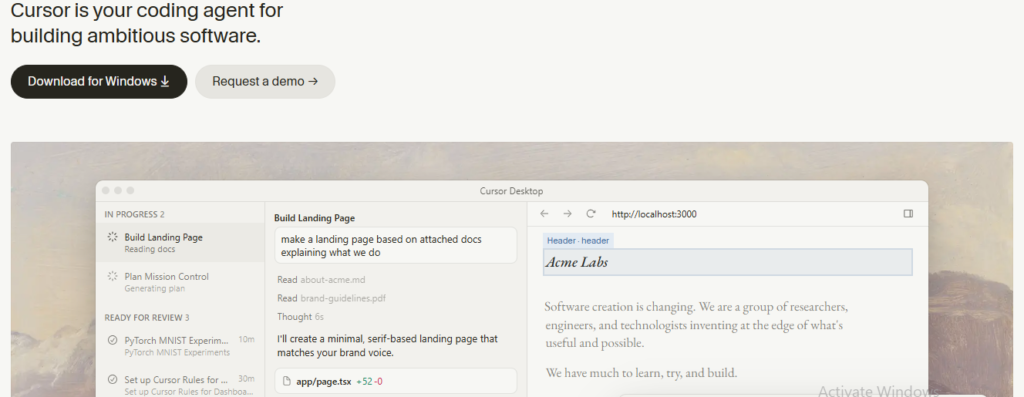
Cursor is an AI-native code editor built on a fork of VS Code. It looks and feels like the editor millions of developers already use, but with AI deeply integrated into every layer: predictive tab completion, inline chat, multi-file Composer edits, and autonomous Agent mode.
By mid-2026, Cursor had crossed $2 billion in annualized revenue with over 1 million paying subscribers, and it is now used inside 64% of Fortune 500 companies.
The 2026 feature set is substantially different from earlier versions:
- Agent Mode: The headline feature that reads your codebase, edits files, runs terminal commands, and iterates until the task is complete
- Background Agents: Cloud-based agents that work on your repo while you do something else, delivering a pull request when finished
- BugBot: An automated pull-request reviewer that catches regressions before human review
- Composer 2: Cursor’s own cost-efficient model for sub-agent editing tasks
- MCP support: Native Model Context Protocol integration for databases, GitHub, Stripe, Linear, and dozens more tools
Cursor’s philosophy is different from Replit’s. It assumes you already know how to code and want AI to make you faster, not replace your technical judgment. The code lives on your local machine. You control the stack, the hosting, and the deployment pipeline.
Replit vs Cursor: At-a-Glance Comparison
| Dimension | Replit | Cursor |
|---|---|---|
| Primary use case | Build and ship apps from prompts | Edit and refactor existing codebases |
| Environment | Browser-based cloud IDE | Desktop VS Code fork |
| Setup time | 0 minutes | 5–10 minutes |
| AI approach | Autonomous agent builds for you | AI assists while you code |
| Code location | Replit’s cloud containers | Your local filesystem |
| Deployment | Built-in (one-click) | External (Vercel, Railway, AWS, etc.) |
| Collaboration | Real-time multiplayer (Google Docs-style) | Git-based workflows |
| Backend/Database | Built-in | You bring your own |
| Offline access | No | Yes (code editing; AI needs internet) |
| Entry paid plan | Core at $20/month | Pro at $20/month |
| Best for | Prototyping, non-coders, rapid validation | Professional developers, production code |
This table tells the essential story: replit vs cursor is not about which tool is better overall. It is about which tool matches your current stage and technical comfort.
AI Agents: How Replit Agent 4 and Cursor Agent Mode Differ
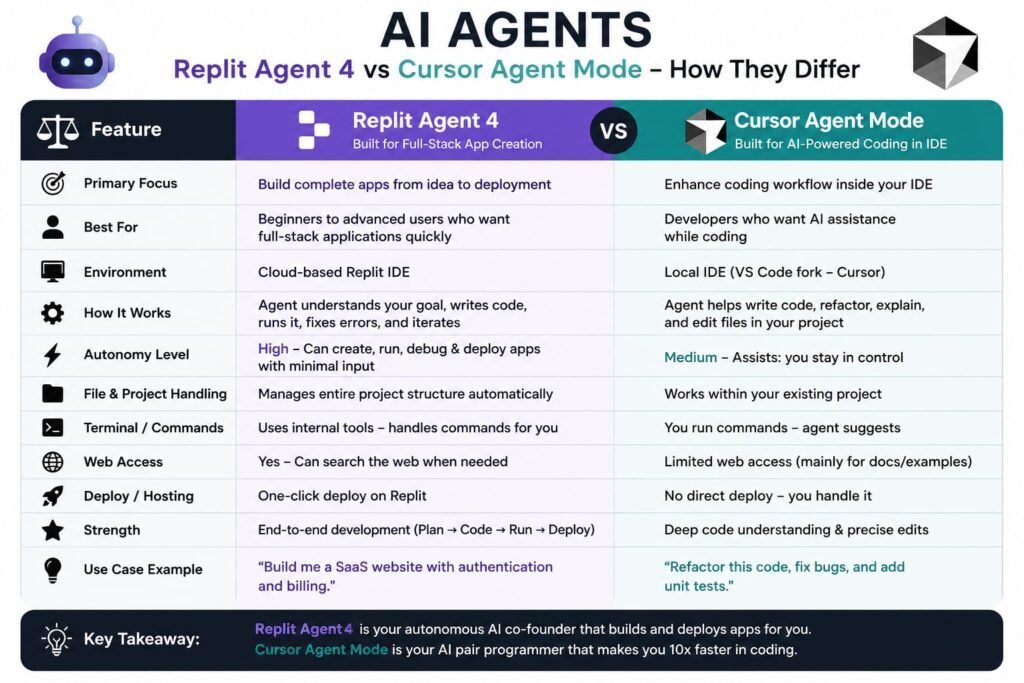
The agent architecture is where these platforms diverge most dramatically.
Replit Agent 4: The Autonomous Builder
Replit Agent 4 operates as a project generator. You describe an app—“A habit tracker with a calendar view, RPG-style pixel art UI, and streak flames”—and the agent:
- Spawns multiple parallel sub-agents to explore design variants
- Generates the UI on an infinite canvas for your review
- Builds the frontend, backend, and database schema
- Deploys to a live URL
The agent handles the full stack. You do not need to configure a database, set up authentication, or wire deployment pipelines. The trade-off is that you are working inside Replit’s containerized environment, and complex debugging can become frustrating when the agent’s generated code does not behave as expected.
Cursor Agent Mode: The Coding Partner
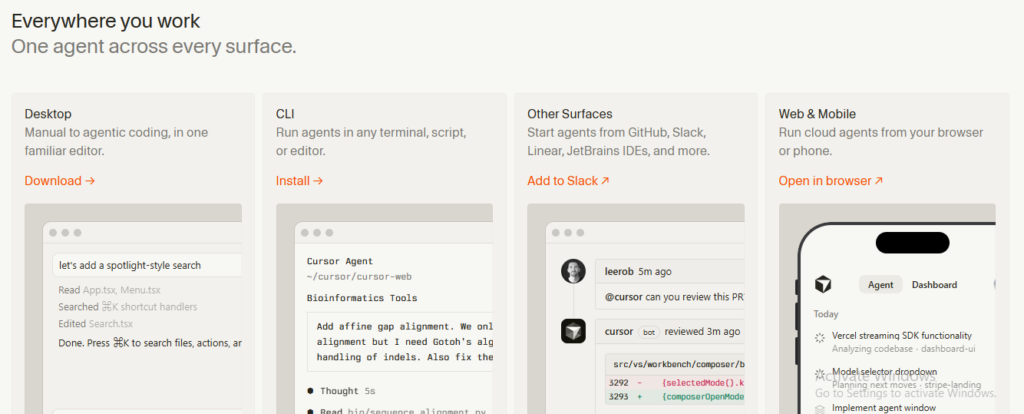
Cursor’s Agent mode operates inside your existing repository. It:
- Reads your codebase to understand context
- Plans multi-file changes
- Edits files, runs terminal commands, and executes tests
- Iterates based on output until the task is done
The agent assumes you are reviewing every diff. It works on a branch, proposes changes, and waits for your approval. This is less “build me an app” and more “implement this feature across these files, run the tests, and fix what breaks.”
What is the difference between Replit Agent and Cursor Agent? Replit Agent builds entire apps autonomously from prompts, handling frontend, backend, and deployment. Cursor Agent mode edits and refactors existing codebases with developer oversight, running tests and iterating until tasks pass.
Development Environment: Browser vs Desktop
Where your code lives determines everything else about your workflow.
Replit: Cloud-Native and Zero-Setup
Replit runs entirely in the browser. Your code lives in Replit’s cloud containers on Google Cloud infrastructure. You can start building from any device with an internet connection—no installation, no dependency management, no environment configuration.
The benefits are immediate accessibility and zero maintenance. The drawbacks are no offline access, higher latency on large projects, and potential friction with enterprise security policies that restrict cloud-based development.
Cursor: Local-First with Full Control
Cursor runs on your machine as a desktop application. Your code lives on your local filesystem. You have full access to your operating system, can install any extension from the VS Code marketplace, and run your code using your local toolchain.
The benefits are performance, privacy, offline code editing, and compatibility with existing developer workflows. The drawback is setup overhead—you need to manage your own runtime, dependencies, and hosting infrastructure.
Collaboration Models: Real-Time vs Git-Based
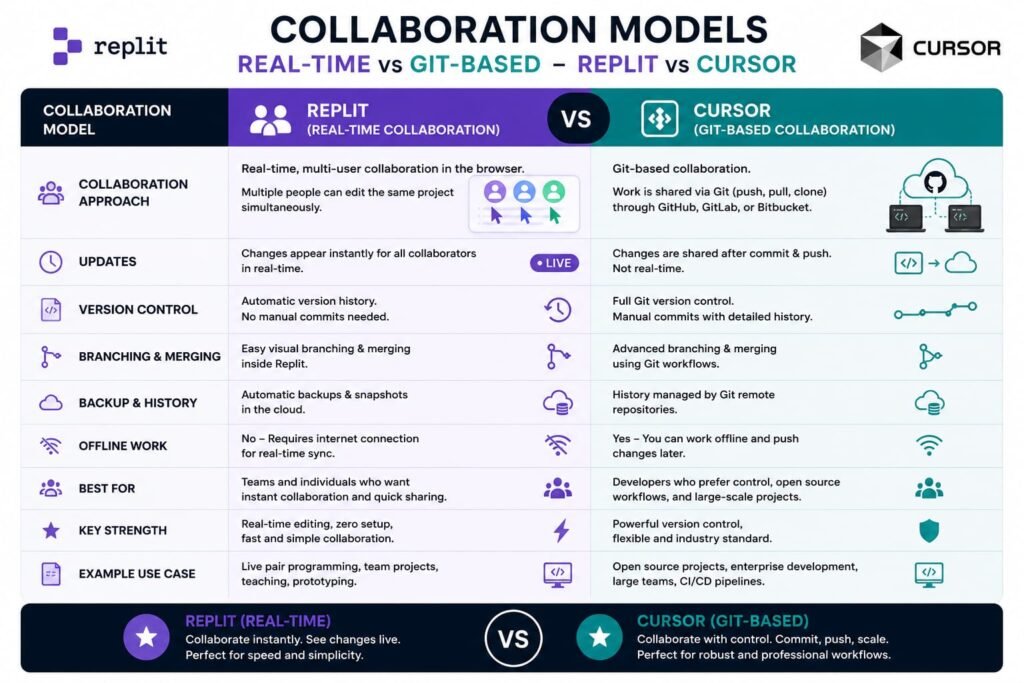
How teams work together differs fundamentally between these platforms.
Replit: Google Docs for Code
Replit’s collaboration model is real-time and multiplayer. Team members work in the same project simultaneously, with changes visible instantly. Agent 4 introduced a shared Kanban board where tasks move through Drafts, Active, Ready, and Done columns. When a task is ready, the Agent assists with merging—no manual conflict resolution required.
This is excellent for hackathons, design sprints, and situations where speed of iteration matters more than rigorous version control. The Pro plan covers up to 15 builders at $100 per month.
Cursor: Standard Git Workflows
Cursor uses Git for collaboration—the industry standard. Developers work on branches, create pull requests, and review code through GitHub or similar platforms. Cursor’s Teams plan ($40 per user per month) adds centralized billing, shared rules, and role-based access control.
For professional engineering teams, this is the expected workflow. For non-technical founders or educators, the Git learning curve is real.
Deployment and Production Readiness
This is the most material practical difference between the two platforms.
Replit: Built-In Hosting
Replit includes deployment as a first-class feature. With one click, you can publish to:
- Autoscale: Scales automatically with traffic
- Static: For frontend-only sites
- Reserved VM: Persistent server resources
- Scheduled: Cron-like job execution
Custom domains with SSL, analytics, and multi-region support are included. You build, you click publish, and you have a URL.
The ceiling appears at scale. Replit does not offer CI/CD pipelines out of the box. Uptime guarantees require negotiating an Enterprise plan. Resource limits are managed by Replit based on your subscription tier, which can break features under heavy traffic.
Cursor: Bring Your Own Infrastructure
Cursor has no deployment or hosting features. You push code to GitHub and configure external hosting through Vercel, Railway, Render, AWS, or similar providers.
For developers who already have a preferred hosting provider and CI/CD pipeline, this is a non-issue. For someone building their first web application, it adds real friction and requires knowledge outside the editor itself.
Does Cursor include hosting? No. Cursor is a code editor only. You must configure external hosting and deployment yourself. Replit includes built-in hosting with one-click deployment.
Pricing and the Real Cost of Each Platform
Both platforms start at roughly $20 per month, but what that $20 actually buys you differs dramatically.
Replit Pricing
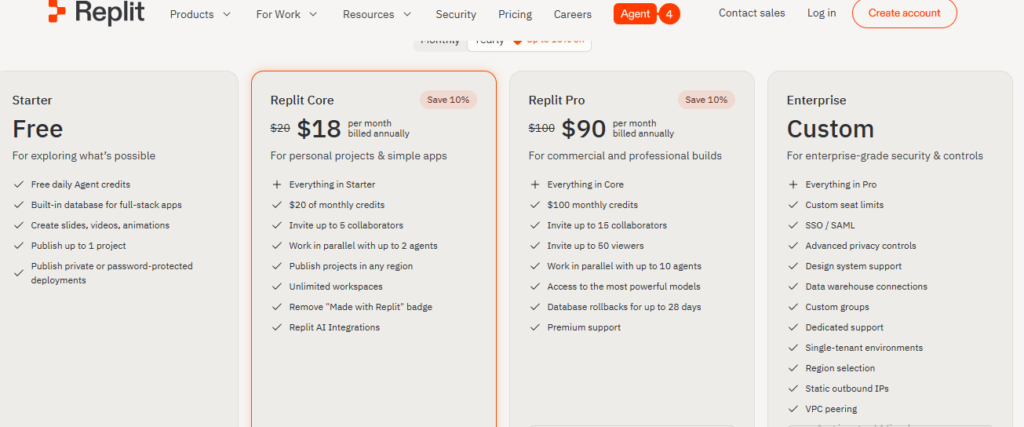
| Plan | Price | What You Get |
|---|---|---|
| Starter | Free | Daily credit caps, limited Agent use |
| Core | $20/month | Editor + AI credits + hosting + database + 5 collaborators |
| Pro | $100/month | Up to 15 builders, $100 in credits |
| Enterprise | Custom | Custom quotas, uptime SLAs |
Replit uses effort-based (checkpoint) pricing for Agent usage. The Agent bills based on how much work a task takes, and costs can escalate unpredictably on large or complex builds. A simple landing page might cost $2.50 in credits. A full-stack app with authentication and database could run $12–$18 per build session.
Cursor Pricing
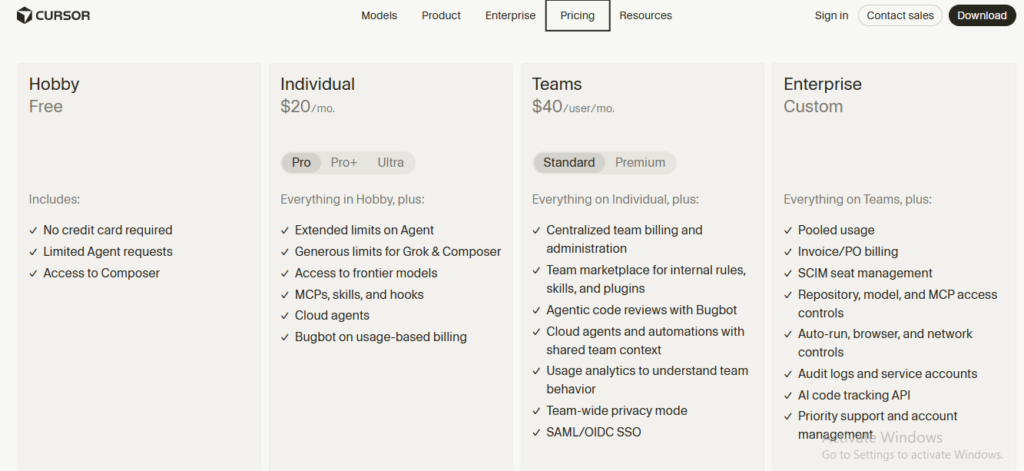
| Plan | Price | What You Get |
|---|---|---|
| Hobby | Free | Limited Tab + small chat allowance |
| Pro | $20/month | $20 in metered credits, full Tab, Composer, Agent |
| Pro+ | $60/month | $60 in metered credits |
| Ultra | $200/month | $200 in metered credits, priority queue |
| Business | $40/user/month | Team billing, audit logs, admin controls |
Cursor shifted to a dollar-denominated credit pool in late 2025. Each request to a frontier model burns credits at different rates—Claude Opus 4.7 consumes roughly 5× more credits than Sonnet 4.7. Cursor’s own Composer-1 and Sonic models are cheaper and used for background tasks.
The total cost reality: Replit’s $20 Core plan includes everything you need to build and ship. Cursor’s $20 Pro plan covers only the editor and AI—you still need to pay for hosting, database, and infrastructure separately. For a complete setup, Cursor users often spend $40–$60 more per month on external services.
Integrations and Extensibility
Replit Integrations
Replit offers three categories of integrations:
Managed integrations (built-in, no setup):
- Replit Database (PostgreSQL)
- Replit App Storage (cloud file storage)
- Replit Auth (user authentication)
- Replit Domains (custom domains with SSL)
Connectors (first-party, sign-in once):
- Google Workspace, Stripe, Discord, HubSpot, Coinbase, Zillow, Linear, Slack, Notion
External integrations (API key required):
- OpenAI, Workato, Airtable, and any service accessible via REST API
Agent services (billed to Replit credits):
- Brave Image Search, ElevenLabs text-to-speech, Google Gemini image generation
Cursor Integrations
Cursor’s integration model is fundamentally different. Through native MCP (Model Context Protocol) support, Cursor connects to:
- Databases: PostgreSQL, MySQL, MongoDB via MCP servers
- Observability: Sentry, Datadog
- Project management: Linear, Jira
- Version control: GitHub, GitLab
- Payment: Stripe
- Any OpenAI-compatible API: Including self-hosted models via Ollama or vLLM
The MCP architecture means the agent can read from and write to these systems directly during a coding session—querying a database to understand schema, posting to Linear when a bug is fixed, or fetching a Sentry trace to debug an error.
Code Ownership and Export
This matters more than most beginners realize.
Replit: Cloud-Hosted with Git Export
Your code lives in Replit’s cloud. You can export to GitHub at any time, and the code is fully yours. However, the database, hosting configuration, and deployment setup are proprietary to Replit’s infrastructure. Migrating a production app off Replit requires rebuilding your backend and deployment pipeline elsewhere.
Cursor: Full Local Ownership
Your code lives on your machine from day one. You own the repository, the Git history, and the entire toolchain. There is no vendor lock-in because Cursor is just an editor—your project exists independently of whether Cursor is installed.
Who Should Choose Replit?
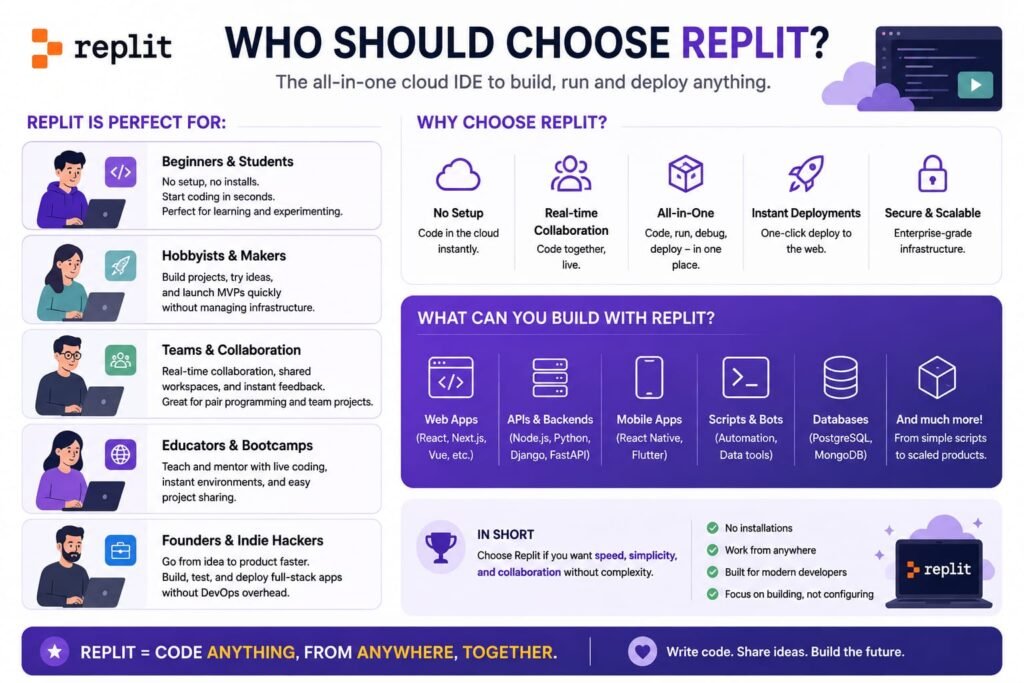
Choose Replit if:
- You do not have (or do not want) a local development setup
- You want to go from idea to deployed URL in the shortest possible time
- You are a non-technical founder, student, or hobbyist validating an idea
- You need real-time collaboration with teammates who are not comfortable with Git
- You want one predictable bill that includes hosting, database, and AI
- Your project is a prototype, internal tool, or small-to-medium web app
Who Should Choose Cursor?
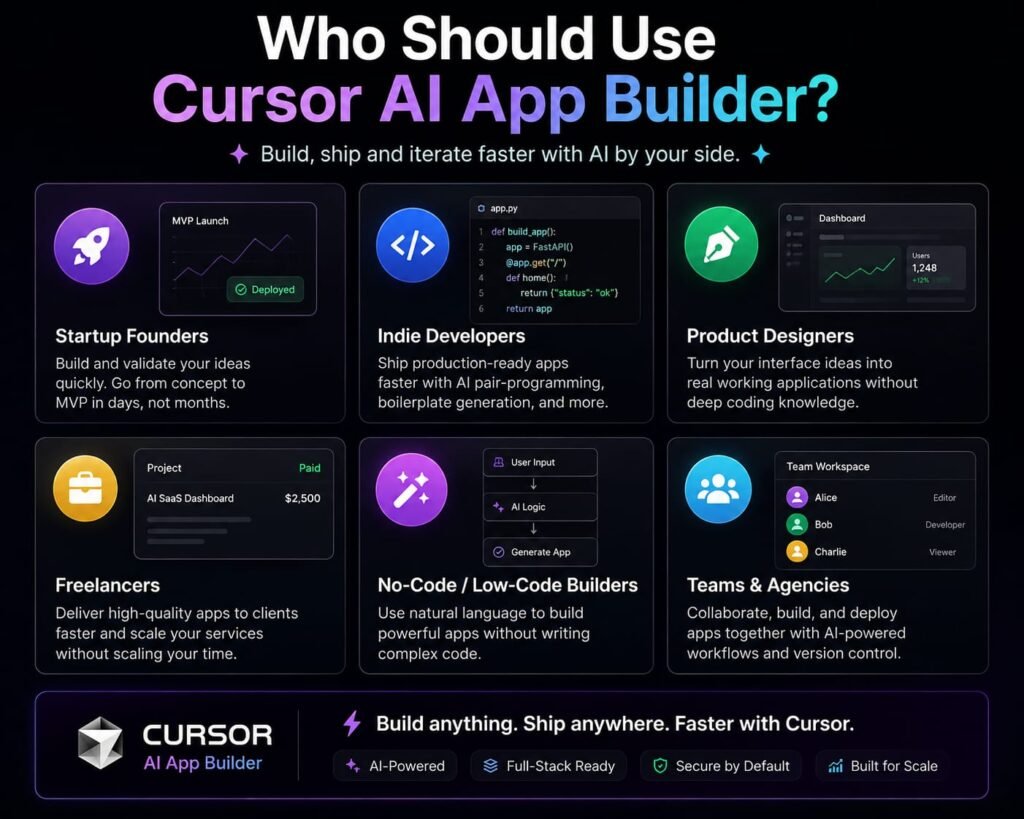
Choose Cursor if:
- You are a professional developer or work closely with one
- You already have a codebase and want AI to help you move faster
- You need deep multi-file refactoring across large repositories
- You want full control over your stack, environment, and deployment pipeline
- You value best-in-class tab autocomplete and diff review
- Your project needs to scale to production with CI/CD, monitoring, and rigorous code review
The Hybrid Workflow: Using Both Together
A pattern increasingly common in 2026 is using Replit and Cursor sequentially rather than choosing between them:
- Prototype in Replit. Use Agent 4 to build a working MVP from a natural language description. Validate the idea with real users. Get investor or stakeholder buy-in with a live URL.
- Export to Git. Push the Repl to a GitHub repository.
- Continue in Cursor. Clone the repo, open it in Cursor, and begin serious engineering: refactoring for scale, adding tests, hardening security, and preparing for production deployment.
- Ship from Cursor. Deploy to your chosen infrastructure (Vercel, Railway, AWS) with full control.
This “Replit for speed of first draft, Cursor for quality of final build” pattern is how many solo-founder-plus-fractional-dev teams actually work.
Frequently Asked Questions
Is Replit better than Cursor for beginners?
Yes. Replit is generally easier for beginners because it removes local setup entirely and includes built-in hosting. Cursor assumes familiarity with VS Code, Git, and managing your own development environment.
Is Cursor better for professional developers?
Yes. Cursor is the stronger choice for professional developers working in existing repositories, especially when multi-file editing, local tooling, and model flexibility matter more than browser-based simplicity.
Can Replit and Cursor both ship production projects?
Yes, but differently. Replit includes built-in hosting suitable for prototypes and small-to-medium apps. Cursor supports the coding workflow, but shipping requires external hosting and deployment setup. For high-scale production apps, Cursor’s ecosystem offers more control and reliability.
What AI models does Replit use?
Replit Agent 4 uses Claude Sonnet 4.5 by Anthropic for complex agentic tasks. Replit Assistant uses Gemini 1.5 Flash by Google for quick queries. Replit also offers its own open-source replit-code-v1.5-3b model for free code completion.
What AI models does Cursor use?
Cursor supports multiple models including Anthropic’s Claude 4.x family, OpenAI’s GPT-4 and GPT-5 class models, Google Gemini 2.x, and Cursor’s own proprietary models (Composer-1 and Sonic). Users can switch models via the model picker.
Does Cursor include hosting?
No. Cursor is a code editor only and does not include hosting or deployment. You must configure external hosting through providers like Vercel, Railway, Render, or AWS.
Which has more predictable pricing?
Cursor tends to feel more predictable for individual developers who stay within default workflows. Replit’s effort-based pricing can vary significantly depending on how complex your Agent sessions are. In both cases, heavy AI usage can exceed base plan costs.
Can I use Replit and Cursor together?
Yes. A common workflow is to prototype in Replit, export to GitHub, and then continue development in Cursor. This gives you the speed of Replit’s agent for initial scaffolding and the control of Cursor’s editor for production engineering.
Is Replit’s code exportable?
Yes. You can push Replit projects to GitHub at any time. However, the database, hosting configuration, and backend infrastructure are tied to Replit’s platform, so migrating a live app requires rebuilding those components elsewhere.
Does Cursor work offline?
Partially. You can edit code offline since files live on your local machine. However, all AI features—Tab, Composer, Agent, and Chat—require an internet connection to reach cloud models. The exception is if you configure Cursor with a local Ollama or LM Studio model.
The Final Conclusion: The Verdict on Replit vs Cursor in 2026 Which is better?
The replit vs cursor debate is not a contest with a single winner. It is a choice between two fundamentally different philosophies of building software.
Replit is optimized for speed and accessibility. It removes every barrier between idea and deployed app. If your goal is to validate a concept, build an internal tool, or ship a prototype without hiring a developer, Replit is the fastest path from sentence to URL. The trade-offs are vendor lock-in, less control at scale, and pricing that can surprise you on complex builds.
Cursor is optimized for control and depth. It assumes you are a developer who wants to move faster without surrendering technical judgment. If your goal is to refactor a large codebase, maintain production software, or work within an existing engineering team, Cursor is the industry standard. The trade-offs are setup overhead, separate hosting costs, and a steeper learning curve for non-coders.
My recommendation: If you are unsure which camp you belong to, start with Replit’s free tier. Build something real—a tool you actually need, not a tutorial example. If you find yourself wanting to dive into the code, add custom logic, or scale beyond Replit’s infrastructure, export to Git and open the project in Cursor. That transition point—when the demo becomes the product—is when most builders know which tool they truly need.
Related Reads-
What Is Lovable AI? The Complete Guide to the AI App Builder Everyone’s Talking About
Is Lovable AI Free? Here’s What You Actually Get
Claude Pro vs ChatGPT Plus: The Real Difference Between These $20 AI Plans
How to Fix AI Image Generator Deformities in Fingers, Toes, and Other Anomalies
What Is Meta AI Muse Spark? The Complete 2026 Guide to Meta’s Flagship AI Model
Kimi K3 Explained: Inside Moonshot AI’s Record-Breaking Open Mode
Best AI App Builder in 2026: 10 Top Tools to Build an App Without Coding
Bolt AI App Builder: The Complete Guide to Building Apps in Your Web Browser
Higgsfield AI Pricing in 2026: Every Plan, Credit Cost, and What You Actually Get
Base 44 Pricing in 2026: Every Plan, Credit Cost, and Hidden Fee Explained
Base44 Reviews 2026: What Real Users Actually Think Before You Build
FlutterFlow AI App Builder: The Complete 2026 Guide to Building Real Native Apps
Kimi AI App: The Complete Guide to Download, Features, and How It WorksIs
Kimi AI vs ChatGPT: Which AI Assistant Actually Wins in 2026?
Moonshot AI Kimi K2 Explained: The Open-Source Model Series That Changed AI in 2026
Rocket AI App Builder: The Complete Guide to Solve, Build, and Intelligence
What LLM Does Replit Use? A Complete Guide to Replit’s AI Models, Agents, and Integrations in 2026
Replit vs Lovable: Which AI App Builder Should You Actually Use in 2026?