
Lovable AI vs Cursor compared: pricing, workflow, code control, and which tool actually fits building vs. refining your app in 2026.
Search “Lovable AI vs Cursor” and you’ll quickly notice something the comparison itself doesn’t make obvious at first: these two tools aren’t really competing for the same job. One turns a plain-English description into a working app from nothing. The other turns an AI into your pair-programming partner inside a real, existing codebase. That difference matters more than any feature checklist, and it’s why a huge number of developers end up using both rather than picking a side.
This guide breaks down exactly how Lovable and Cursor differ what each one is actually built for, how their pricing and code ownership compare, which one fits a non-technical founder versus an experienced developer, and why the “Lovable vs Cursor” question often resolves into “Lovable, then Cursor” rather than an either-or decision. By the end, you’ll know exactly where each tool belongs in your workflow.
Lovable AI vs Cursor: The Quick Answer
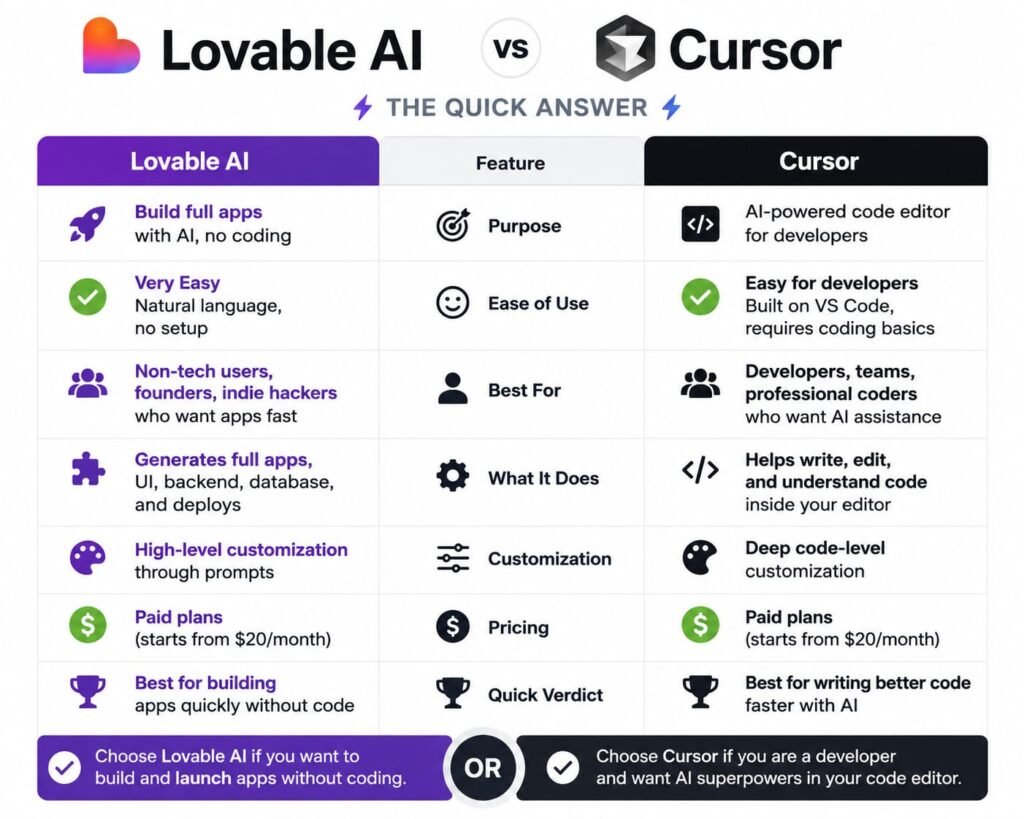
Lovable AI is a prompt-to-app generator that builds a complete full-stack web application from a natural-language description, best suited to non-technical founders and rapid prototyping. Cursor is an AI-native code editor, built as a fork of VS Code, designed for developers who want AI assistance while working directly inside a real, existing codebase. They solve different problems and are frequently used together rather than as direct substitutes.
If you’re starting from zero and want a working app fast without touching code, Lovable is the right starting point. If you already have a codebase including one Lovable generated and need to debug, extend, or refine it with precision, Cursor is the better tool for that stage. Many real-world workflows use exactly this combination.
What Is Lovable AI?
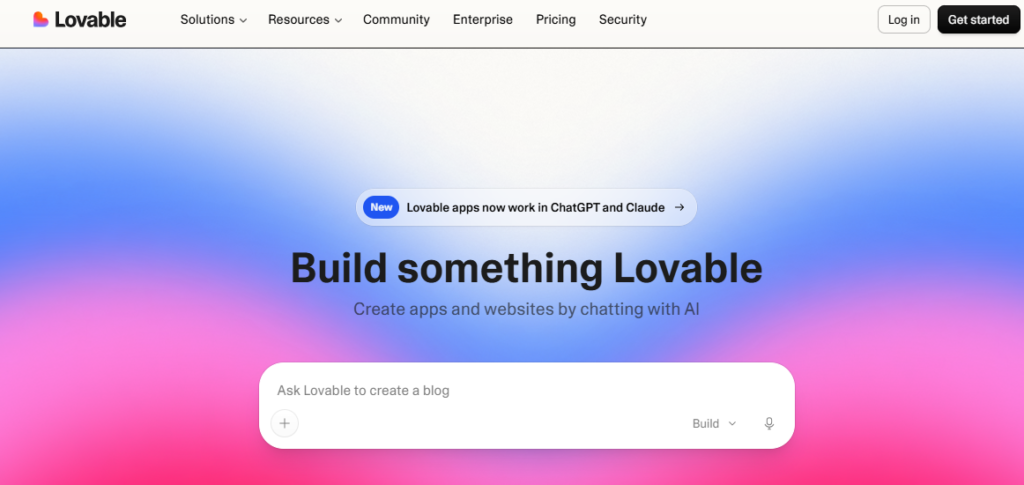
Lovable is an AI-powered app builder that generates a complete web application front end, backend, database, and authentication from a plain-English prompt. Rather than requiring you to write code, you describe what you want, and Lovable produces the corresponding React and TypeScript application, using a two-stage Plan-then-Build workflow that maps out your app’s structure before writing any code, aiming to reduce the chances of a large, wasted generation based on a misunderstood request.
Lovable’s backend runs through Supabase, handling database, authentication, and file storage in a pre-configured way that minimizes setup decisions. Generated code syncs to GitHub, giving you a real, portable codebase rather than something locked permanently inside the platform.
What Is Cursor?
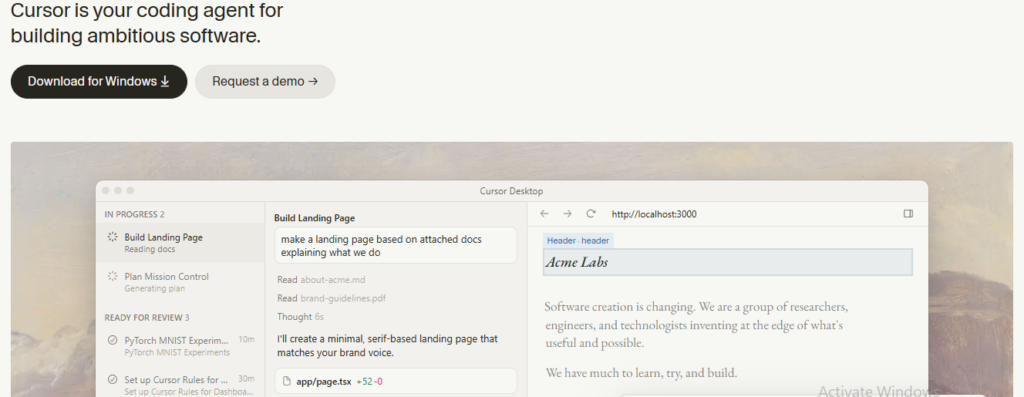
Cursor is a different category of tool entirely — an AI-native code editor built as a fork of Visual Studio Code, used by more than 500,000 developers as of 2026. Rather than generating an app from a description, Cursor puts AI assistance directly inside your existing development environment: inline code completions (Tab), multi-file editing and refactoring (Composer), and a codebase-aware chat that understands your full project context rather than just the file you happen to have open.
Cursor doesn’t build an app for you from nothing in the way Lovable does. It assumes you already have or are actively writing real code, and its value comes from accelerating and improving how you write, understand, and modify that code, with AI functioning as an active collaborator rather than an external generator.
Lovable vs Cursor Pricing Compared
Cursor’s core paid tier, Pro, costs $20/month with credit-based usage billing, alongside Pro+ ($60/month), Ultra ($200/month), and Teams ($40/user/month) for heavier needs. Lovable’s comparable Pro tier costs roughly $25/month for about 100 monthly credits. Both use credit-based systems, but Cursor’s tiers scale further for power users, while Lovable’s pricing stays simpler across fewer tiers.
Cursor’s Pricing Structure
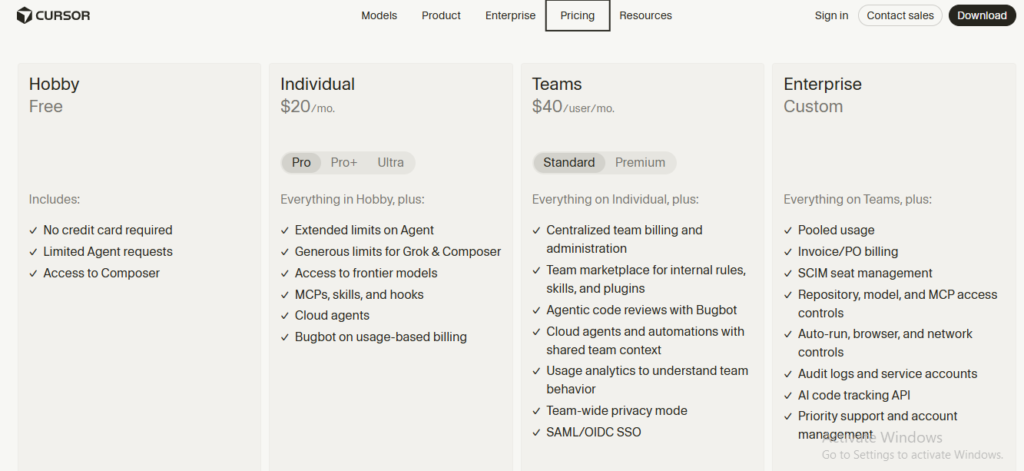
Cursor offers five main tiers: Hobby (free, with 2,000 monthly completions and a limited number of slower premium model requests), Pro ($20/month, 500 fast premium requests plus unlimited standard completions), Pro+ ($60/month, for heavier daily use), Ultra ($200/month, for the highest-volume individual users), and Teams ($40/user/month, adding centralized billing, shared team context, and admin controls). Enterprise pricing is available for larger organizations with compliance or procurement requirements.
Since a mid-2025 shift to usage-based billing, Cursor’s plan price functions more as a credit pool than a flat subscription heavy use of frontier models or Agent-based tasks can exhaust that pool faster than the sticker price suggests, after which you can either switch to a slower “Auto” mode at no extra cost or set a spend limit to pay for additional usage at API rates.
Lovable’s Pricing Structure
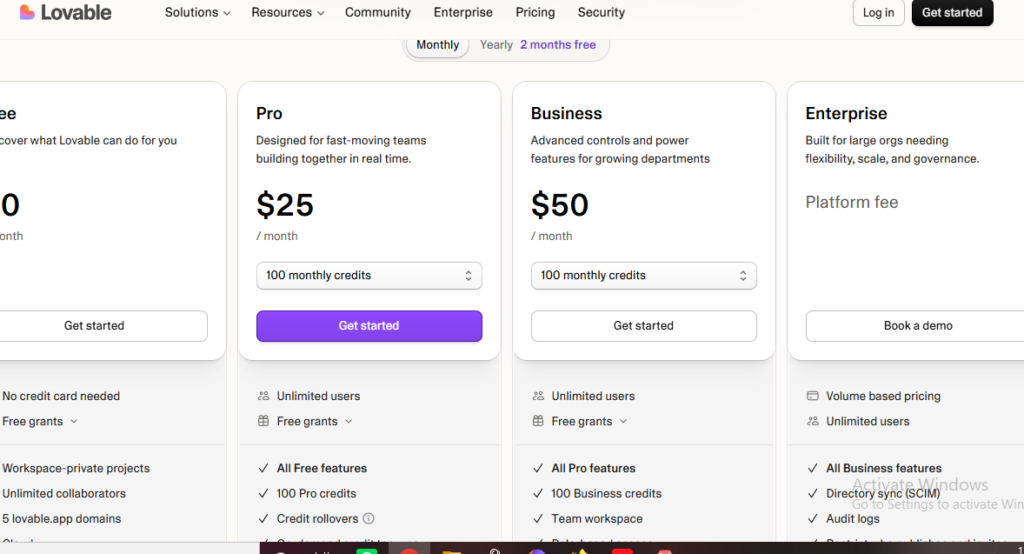
Lovable’s tiers are simpler: Free ($0), Pro (~$25/month for around 100 monthly credits), Business (~$50/month, adding team features like SSO), and Enterprise (custom). Credit consumption scales with task complexity — a small styling tweak costs little, while a significant new feature or integration costs meaningfully more.
The Real Cost Comparison
For a solo developer doing moderate daily coding work, Cursor Pro at $20/month is often cheaper than Lovable’s $25/month Pro tier but they’re not really substitutes for the same job, so comparing them purely on price misses the point. A more useful comparison is total cost if you use both: many developers pay for Lovable specifically during the initial build phase, then either keep or drop the subscription depending on how much ongoing generation they still need, while maintaining Cursor as an ongoing daily tool for ordinary development work.
How Each Tool Actually Builds Software
This is where the fundamental difference between Lovable and Cursor becomes most concrete.
Lovable’s Prompt-to-App Workflow
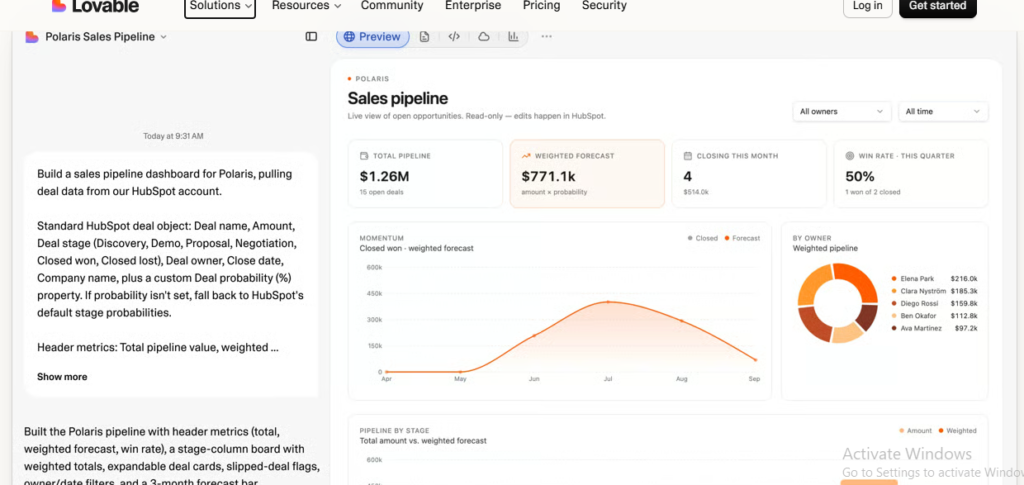
You describe an app — “a task tracker with user logins and a dashboard showing overdue items” and Lovable’s AI plans the structure, then generates the full application, updating a live preview as it works. Your primary interaction is conversational: describing what you want, reviewing what’s generated, and prompting further changes.
Cursor’s AI-Assisted Coding Workflow
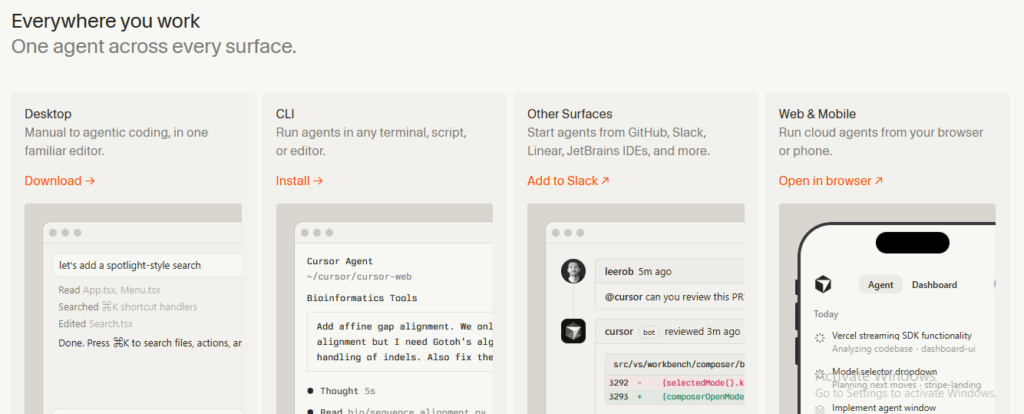
You work inside a real code editor, writing and editing files directly, with AI available at every layer suggesting completions as you type, executing multi-file edits through Composer based on a natural-language instruction, or answering questions about your codebase through its context-aware chat. Your primary interaction is still coding, just accelerated and assisted by AI rather than replaced by it.
Example: A non-technical founder describing “an app for booking dog walking appointments” would get further, faster, with Lovable, since there’s no existing code to work from. A developer maintaining a two-year-old production app who needs to add a new payment flow without breaking existing functionality would get a far better result from Cursor, since the task is fundamentally about understanding and safely extending code that already exists.
Code Ownership and Control: Lovable vs Cursor
Both tools give you real, usable code rather than locking you into a black box but the nature of that ownership differs.
With Lovable, the AI writes the code initially, and you review, refine, and redirect it through further prompts; you can view and even manually edit the code, but the primary mode of interaction remains conversational.
With Cursor, you’re working directly in the code at all times AI assists, suggests, and can execute changes on your instruction, but there’s no meaningful separation between “the AI’s version” and “your version” of the code, since you’re continuously in the editor yourself.
The practical difference: If you want maximum hands-on control and are comfortable reading and writing code, Cursor gives you more direct, continuous ownership of the process. If you’d rather describe outcomes and let AI handle the implementation details, Lovable’s more conversational approach asks less of you technically.
Ease of Use: Which Is Better for Non-Developers?
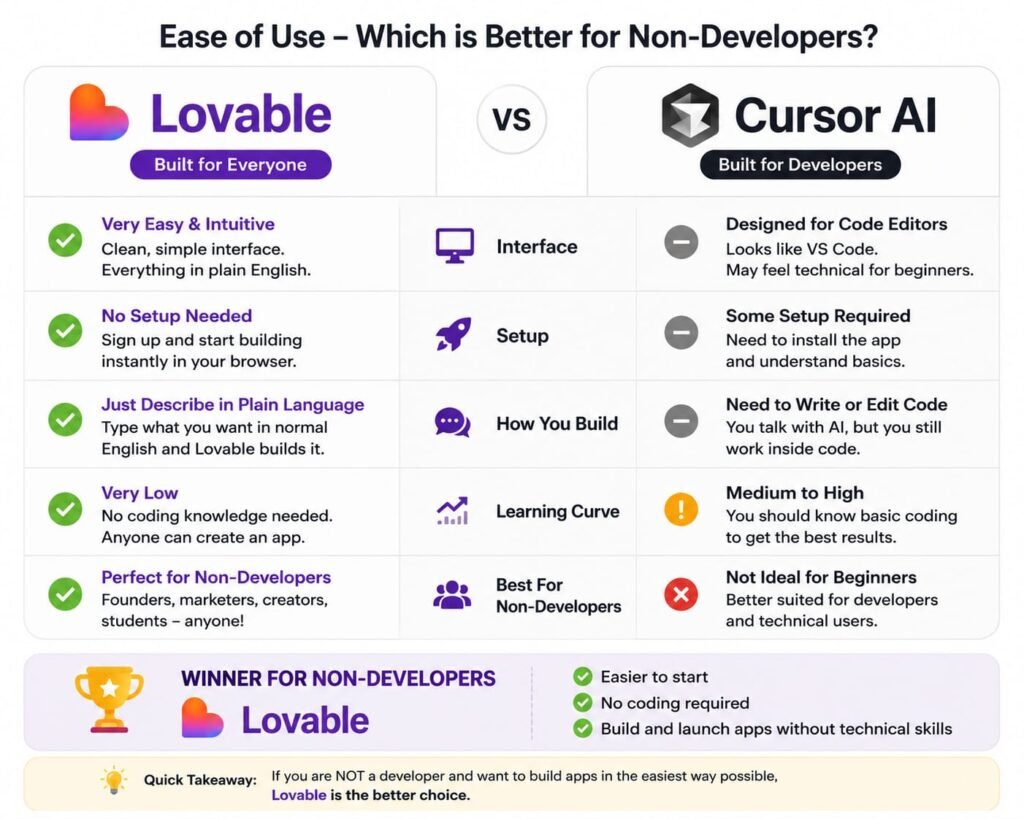
Lovable is significantly easier to use for non-developers, since its entire workflow is built around natural-language prompts rather than code. Cursor, while genuinely accessible to less experienced coders, is still fundamentally a code editor its value depends on at least some comfort reading and reasoning about code, making it a better fit for developers than complete beginners.
If you’ve never written a line of code and don’t intend to start, Lovable is the clear choice you never need to open or understand the underlying code to build something functional. Cursor can still lower the barrier to coding for someone learning, but it’s built on the assumption that you’re working in a real development environment, which carries a meaningfully steeper learning curve than Lovable’s guided, conversational approach.
Backend and Database Support
Lovable’s backend runs specifically through Supabase, pre-configured to handle your database, authentication, and file storage with minimal setup decisions — a deliberate tradeoff of flexibility for simplicity.
Cursor doesn’t include a backend at all in the way Lovable does, because it isn’t an app generator it’s a code editor. Whatever backend, database, or infrastructure your project uses is entirely up to you and whatever you’re already building with; Cursor simply helps you write and manage the code for it, regardless of what stack you’ve chosen.
My takeaway: If you want backend infrastructure handled for you, Lovable does that by design. If you need flexibility to work with any backend, language, or infrastructure choice, Cursor’s lack of an opinionated stack is actually an advantage rather than a gap.
Multi-File Editing and Codebase Understanding
Cursor’s Composer feature is specifically built for coordinated, multi-file edits across a real, existing codebase — understanding how changes in one file affect others, and executing a coherent set of edits based on a single natural-language instruction. Combined with codebase indexing, Cursor can answer questions and make changes with awareness of your entire project’s structure, not just the open file.
Lovable’s equivalent capability lives inside its Plan-then-Build workflow when you request a change, the AI considers your app’s existing structure to keep the new generation consistent with what’s already there. But this happens within Lovable’s own generated application structure specifically, rather than across an arbitrary, pre-existing codebase the way Cursor is built to handle.
Lovable vs Cursor for Different Project Stages
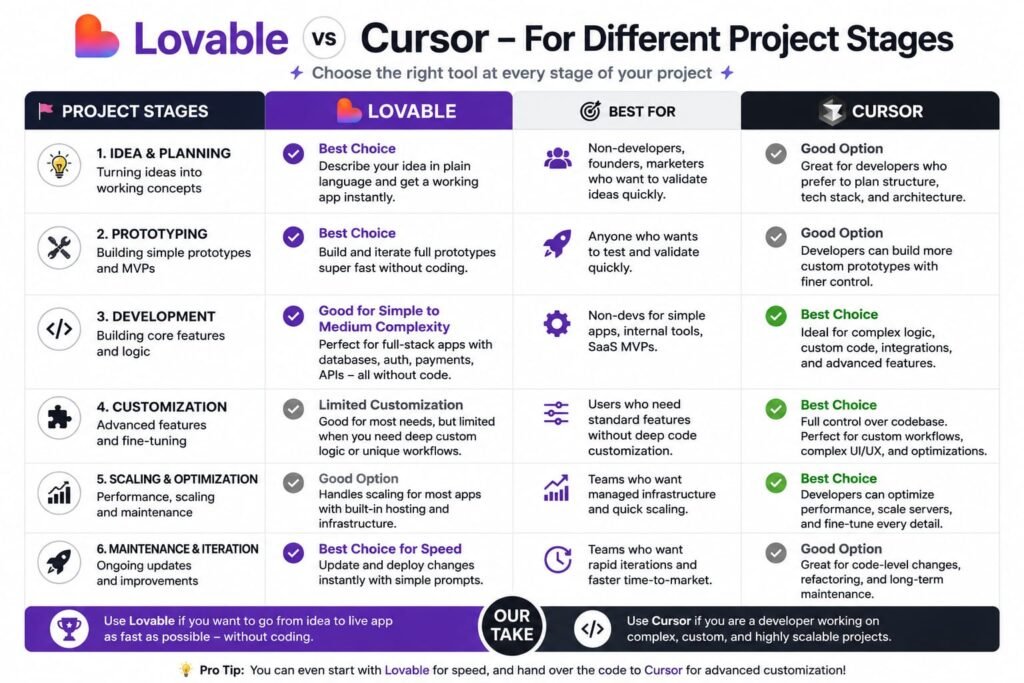
A more useful way to frame this comparison than “which is better” is “which stage of a project is each tool built for.”
Idea to first working prototype: Lovable’s prompt-to-app generation gets you here fastest, especially without a technical background.
Refining and hardening that prototype: This is where Cursor increasingly enters the picture taking the code Lovable generated and refining specific logic, fixing edge cases, or adding functionality that’s easier to hand-code precisely than to describe accurately in a prompt.
Ongoing maintenance of a mature, production app: Cursor is the stronger fit here almost by default, since maintaining and extending an established codebase is fundamentally a coding task, not a generation task.
Rapid experimentation with new app ideas: Lovable’s speed advantage shows up again here testing multiple concepts quickly favors prompt-based generation over hand-coding each variation.
Using Lovable and Cursor Together: The Hybrid Workflow
A common workflow among developers is building the initial application in Lovable to get a working prototype quickly, then exporting the generated code and continuing development in Cursor for more precise, hands-on refinement combining Lovable’s speed for the first version with Cursor’s depth of control for everything after.
This hybrid approach has become common enough that it’s referenced across multiple independent developer guides and forum discussions, not just as a hypothetical but as a genuinely popular real-world pattern. The logic is straightforward: Lovable removes the blank-page problem and gets a functional first version live fast, especially for non-technical founders or anyone validating an idea. Once that prototype needs precise bug fixes, custom logic Lovable’s prompts struggle to fully capture, or deeper integration work, exporting the code to Cursor gives you the fine-grained control a code editor provides.
Example workflow: A founder builds an MVP marketplace app in Lovable over a weekend, gets early user feedback, and then exports the codebase to continue development in Cursor — bringing on a developer (or continuing themselves, if technically inclined) to harden the payment flow, fix specific bugs users reported, and add features too nuanced to reliably describe in a single prompt.
Which Should You Choose Based on Your Use Case?
Pulling this all together, here’s a direct recommendation by scenario:
Choose Lovable if you’re a non-technical founder validating an idea, you want the fastest path from a description to a working app, or you’re building a fairly standard full-stack web app without highly custom logic.
Choose Cursor if you’re a developer working in an existing codebase, you need precise, hands-on control over implementation details, or your project involves a language, framework, or backend outside Lovable’s React/Supabase focus.
Choose both if you’re building something that starts as a validation prototype but is likely to grow into a real, maintained product — start in Lovable, graduate to Cursor once the code needs a developer’s precision.
Frequently Asked Questions
Is Lovable AI better than Cursor?
Neither is universally better they solve different problems. Lovable is better for generating a complete app from a prompt with no coding required; Cursor is better for developers working precisely within an existing or actively-written codebase.
Can Cursor do what Lovable does?
Not directly. Cursor doesn’t generate a complete application from a natural-language description the way Lovable does — it’s a code editor that assists with writing and editing code you’re actively working on, which requires more hands-on coding involvement than Lovable’s prompt-based approach.
Can Lovable do what Cursor does? Not fully. Lovable doesn’t offer the same depth of multi-file, codebase-aware editing and refactoring that Cursor’s Composer and Tab features provide for developers working in an established project.
Which is cheaper, Lovable or Cursor?
Cursor’s entry-level Pro plan ($20/month) is slightly cheaper than Lovable’s comparable Pro tier (~$25/month), but they aren’t direct substitutes, so cost alone shouldn’t be the deciding factor between them.
Do developers actually use Lovable and Cursor together?
Yes, this is a genuinely common workflow — building an initial prototype in Lovable, then exporting the code and continuing refinement in Cursor, combining Lovable’s speed with Cursor’s precision.
Is Cursor good for non-technical users?
Not particularly. While Cursor can help someone learning to code, it’s fundamentally a code editor and assumes a level of comfort reading and writing code that Lovable’s prompt-based workflow doesn’t require at all.
Does Cursor include a backend or database like Lovable?
No. Cursor doesn’t include any built-in backend or database, since it isn’t an app generator — it simply helps you write and manage code for whatever backend or infrastructure your project already uses.
What happens to Lovable-generated code if I move it to Cursor?
Since Lovable syncs generated code to GitHub as standard React and TypeScript, you can pull that code directly into Cursor and continue development there with full access to Cursor’s AI-assisted editing features, just as you would with any other codebase.
Which is better for building a mobile app, Lovable or Cursor?
Neither is purpose-built for native mobile output. Both are focused on code and web application development; a dedicated tool like Rork or FlutterFlow is a better fit if native iOS or Android output is your goal.
Is Cursor worth it if I already pay for GitHub Copilot?
It depends on your workflow. Cursor’s Composer and codebase-aware chat offer deeper multi-file editing and context-awareness than Copilot’s more completion-focused approach, but at roughly double Copilot’s price, it’s worth evaluating whether that added depth matches how you actually work before switching.
My Last saying: Lovable AI vs Cursor — Which Should You Use?
The Lovable AI vs Cursor comparison isn’t really a rivalry it’s a question of which stage of building you’re in. Lovable is the faster, more accessible tool for turning an idea into a working app from nothing, particularly if you don’t code. Cursor is the deeper, more precise tool for anyone working inside real code, whether that’s a project built from scratch or one Lovable generated for you.
If you’re just starting out with an idea, begin with Lovable’s free tier and see how far a prompt-based build actually gets you. If you’re already comfortable in a codebase or your project has grown past what prompting alone can refine Cursor’s free Hobby tier is worth trying alongside it. Given how many developers already use both in sequence, the real answer to “Lovable or Cursor” is often simply: try Lovable first, and keep Cursor ready for when the project needs a developer’s precision.
If you want to check out best alternatives for Lovable Ai you can check this article-12 Best Lovable AI Alternatives in 2026 (Ranked by Use Case)
Related Reads-
What Is Lovable AI? The Complete Guide to the AI App Builder Everyone’s Talking About
Is Lovable AI Free? Here’s What You Actually Get
Claude Pro vs ChatGPT Plus: The Real Difference Between These $20 AI Plans
How to Fix AI Image Generator Deformities in Fingers, Toes, and Other Anomalies
What Is Meta AI Muse Spark? The Complete 2026 Guide to Meta’s Flagship AI Model
Kimi K3 Explained: Inside Moonshot AI’s Record-Breaking Open Mode
Best AI App Builder in 2026: 10 Top Tools to Build an App Without Coding
Bolt AI App Builder: The Complete Guide to Building Apps in Your Web Browser
Higgsfield AI Pricing in 2026: Every Plan, Credit Cost, and What You Actually Get
Base 44 Pricing in 2026: Every Plan, Credit Cost, and Hidden Fee Explained
Base44 Reviews 2026: What Real Users Actually Think Before You Build
FlutterFlow AI App Builder: The Complete 2026 Guide to Building Real Native Apps
Kimi AI App: The Complete Guide to Download, Features, and How It WorksIs
Kimi AI vs ChatGPT: Which AI Assistant Actually Wins in 2026?
Moonshot AI Kimi K2 Explained: The Open-Source Model Series That Changed AI in 2026
Rocket AI App Builder: The Complete Guide to Solve, Build, and Intelligence
What LLM Does Replit Use? A Complete Guide to Replit’s AI Models, Agents, and Integrations in 2026
Replit vs Lovable: Which AI App Builder Should You Actually Use in 2026?
Replit vs Cursor (2026): The Honest Comparison for Builders, Founders, and Developers
Hostinger AI Website Builder Review: Is It Actually Worth It in 2026?